Blog/Retrieval & search
PDF parsing for RAG: layout pipelines, OCR and vision models compared
Why PDF parsing decides RAG quality, how Docling, Marker, MinerU and VLM OCR differ, and how to test a parser on your own documents.
Balázs Csorba··9 min read
- RAG
- PDF parsing
- OCR
- Docling
- Document AI
Key takeaways
- Most bad RAG answers over PDFs start at parsing: broken reading order, flattened tables and repeated headers poison every chunk.
- Born-digital PDFs need a layout pipeline that reads the text layer; scans and math-heavy pages need OCR or a full-page vision model.
- Published parser benchmarks are mostly run by vendors on one document mix, so test on 30 to 50 of your own pages before choosing.
- Keep tables as HTML or Markdown tables, one table per chunk with its header and caption, instead of letting them dissolve into prose.
- Store the parsed document with the parser version, so you can re-chunk and re-embed without paying for OCR again.
Teams debugging a weak RAG system usually start with the embedding model, the chunk size or the prompt. With PDFs the problem is often earlier: the parser turned a two-column datasheet into interleaved half-sentences, flattened a pricing table into a string of numbers, and copied the page footer into every chunk. No reranker fixes text that was wrong before it was embedded.
This article compares the three families of PDF parsers in 2026, text-layer extraction, layout pipelines such as Docling, Marker and MinerU, and full-page vision models, using the numbers the projects publish. It then covers tables, structure-aware chunking, when to send the PDF straight to a model, licenses, and a small test you can run on your own documents before you commit.
Why does PDF parsing decide RAG quality?
A PDF stores glyphs at coordinates, not paragraphs. Everything a RAG pipeline needs, reading order, which text is a heading, where a table cell starts, has to be reconstructed. Each failure lands directly in the index:
- Reading order: multi-column layouts, sidebars and captions get merged line by line, so a chunk mixes two unrelated sentences.
- Tables: without structure recovery, a table becomes a run of values with no column names, and the model guesses which number belongs to which product.
- Repeated furniture: headers, footers and page numbers appear on every page and pull irrelevant chunks into the top results.
- Scans and bad text layers: scanned pages have no text at all, and some exported PDFs carry a broken text layer that looks fine on screen but extracts as garbage.
That is why I evaluate retrieval and generation separately, as described in Evaluating RAG. When retrieval fails on PDFs, open the parsed text of the failing page before you touch anything else.
What are the three families of PDF parsers?
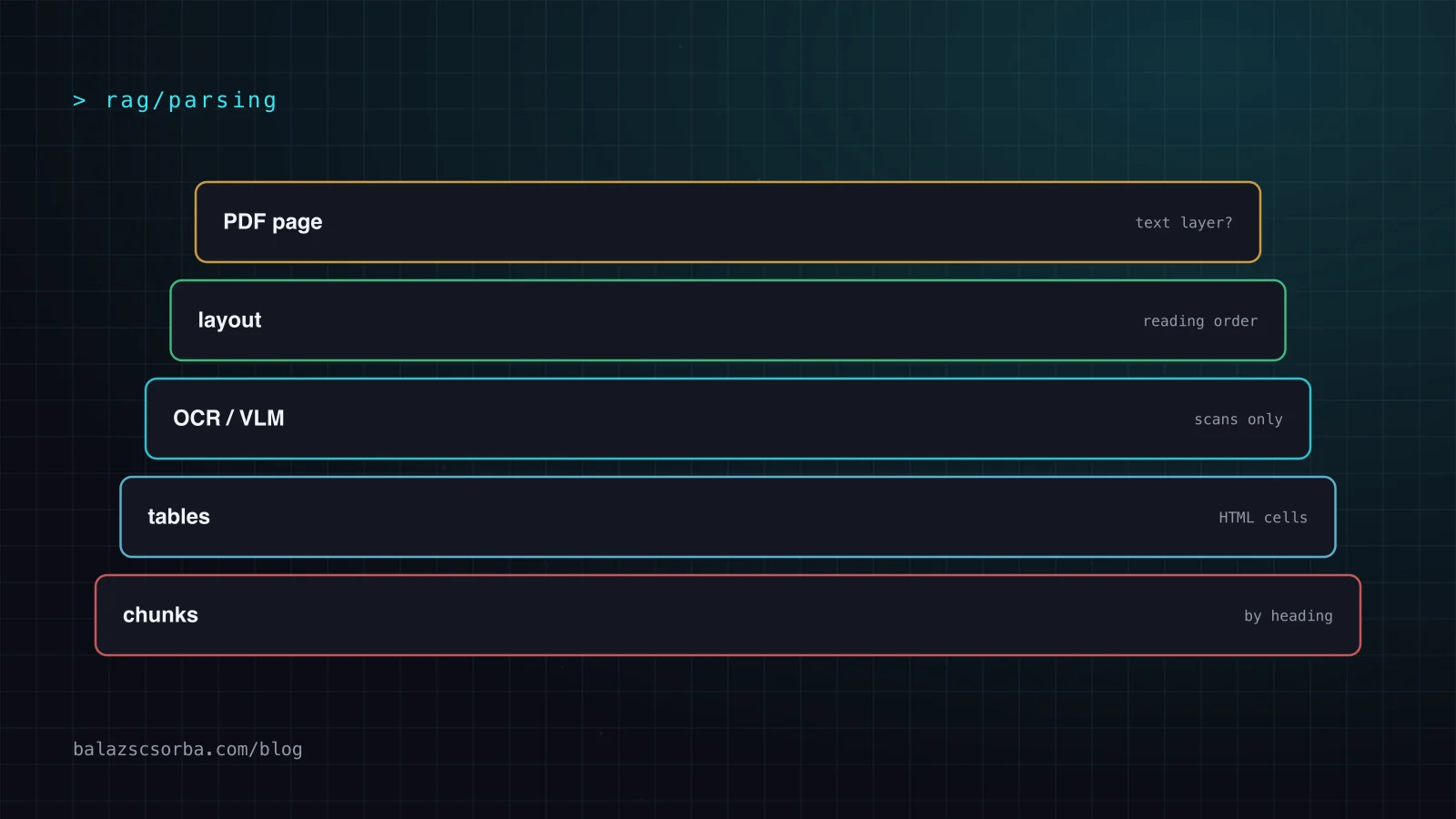
Parsers differ mainly in what they read: the embedded text layer, a rendered image of the page, or both.
| Family | Examples | Strength | Weakness |
|---|---|---|---|
| Text-layer extraction | PyMuPDF, pdfplumber, pypdf | Fast, CPU only, exact characters | No layout or tables, nothing on scans |
| Layout pipelines | Docling, Marker, MinerU (pipeline), Unstructured | Reading order, tables, headings; selective OCR | Several models to run; complex nested layouts still break |
| Full-page vision models | olmOCR, Chandra, MinerU (VLM), GraniteDocling | Best on scans, math and messy pages | GPU cost; can hallucinate text that is not on the page |
The lines are blurring. Docling (MIT license) runs layout and table-structure models on the text layer by default, but can switch to a VLM pipeline with the 258M-parameter GraniteDocling model. Marker now routes layout, OCR and table recognition through its surya VLM served locally, while still reading born-digital text from the PDF. MinerU offers a pipeline backend and a VLM backend. In practice the question is less which tool and more which mode for which pages.
What do the benchmarks actually say?
The most useful shared yardstick right now is olmOCR-bench from the Allen Institute for AI, introduced with the olmOCR paper: about 1,400 PDFs with thousands of pass/fail unit tests for math, tables, reading order, headers and footers, and old scans. Unit tests are a better fit for RAG than edit distance, because they check facts you care about, such as whether a table cell sits next to the right header.
| System (Datalab run, GPU) | Overall | Born-digital only | Throughput |
|---|---|---|---|
| Marker, balanced mode | 76.0 | 83.5 | 2.9 pg/s |
| MinerU, pipeline backend | 72.7 | 83.3 | 0.54 pg/s |
| Docling | 50.3 | 64.0 | 2.1 pg/s |
Read this table for what it is: Datalab builds Marker and ran all three on its own hardware, Docling ran its default pipeline, and MinerU's VLM backend, which Datalab itself says scores higher, is not in it. Datalab lists its own full-page document VLM, Chandra, at 85.8 on the same benchmark. Two things hold up anyway. On born-digital PDFs the two leading pipelines are nearly tied, so speed and license may decide. And full-page VLMs win on the hard pages, which is why per-page routing pays off.
How should tables be extracted and chunked?
Tables carry the facts users ask about most in technical and commercial documents: dimensions, tolerances, prices, delivery times. Treat them as first-class objects:
- Keep structure in the output. Export tables as HTML or Markdown tables, not as text. Marker emits tables as HTML blocks, and Docling exports Markdown, HTML and lossless JSON.
- One table, one chunk, together with its caption and the nearest heading, so the chunk says what it is about.
- Split long tables by rows and repeat the header row in each part; a row without its column names is noise.
- Merge tables that cross pages. This is a known weak spot; Marker's optional
--use_llmmode uses an LLM to merge tables across pages and fix their formatting, at extra cost. - If the data exists elsewhere, use it. A price list that comes from the ERP belongs in a database the agent can query, not in a PDF you parse back.
How do you chunk parsed documents?
Once the parser has recovered headings, chunk along them instead of cutting every N tokens. A section under a heading is usually one topic, and the heading path (document title, chapter, section) makes a short, cheap context prefix for every chunk. I cover chunk sizes, hybrid search and reranking in A production RAG pipeline, step by step.
Anthropic's Contextual Retrieval goes one step further: an LLM writes a short context sentence for each chunk from the whole document before embedding. With prompt caching, Anthropic estimated the one-time cost at $1.02 per million document tokens. It works best on top of clean parsing, because the context sentence is only as good as the document text the model reads.
# Illustrative: chunk a parsed Markdown document by headings, keep tables whole
import re

def chunks(md: str, doc_title: str, max_chars: int = 3000):
    path, buf = [doc_title], []
    for block in re.split(r"\n(?=#{1,3} )|\n\n", md):
        if m := re.match(r"(#{1,3}) (.+)", block):
            yield from flush(path, buf); buf = []
            level = len(m.group(1)); path = path[:level] + [m.group(2)]
        elif block.lstrip().startswith(("|", "<table")):
            yield from flush(path, buf); buf = []
            yield {"context": " > ".join(path), "text": block, "kind": "table"}
        else:
            buf.append(block)
            if sum(map(len, buf)) > max_chars:
                yield from flush(path, buf); buf = []
    yield from flush(path, buf)

def flush(path, buf):
    if buf:
        yield {"context": " > ".join(path), "text": "\n\n".join(buf), "kind": "text"}
When should you send the PDF straight to the model?
Frontier models read PDFs natively. Claude's PDF support accepts requests up to 32 MB and 600 pages (100 pages when the request's context window is under one million tokens), and processes each page as an image. For a user uploading a contract into a chat, that is the simplest and often the best option.
For a corpus, the economics flip. Each query would pay to read the pages again, you cannot rank pages you have not embedded, and citations need stable page and chunk ids. The olmOCR authors put the cost of converting a million pages with GPT-4o at over $6,240, against $176 with their open 7B model on their own GPUs. Parse once, index, and send the model only the retrieved chunks.
Which licenses and data-protection questions matter?
| Parser | Code license | Model weights |
|---|---|---|
| Docling | MIT | Licenses of the individual models |
| Marker | Apache 2.0 | Modified OpenRAIL-M: free for research, personal use and startups under $5M funding or revenue; paid license above |
| MinerU | MinerU Open Source License (Apache 2.0 with additional conditions) | See the repository |
Check the weights license, not just the code license, before a client project goes live; the Marker terms in particular depend on company size. All three run locally, which matters when the documents contain personal data such as invoices, HR files or support tickets. If you do use a hosted parser or an LLM API, the questions from GDPR and LLM data residency apply unchanged.
How do you test a parser on your own documents?
Borrow the olmOCR-bench idea and write unit tests for your own pages. Pick 30 to 50 pages that represent the corpus, including the ugly ones: a scanned delivery note, a two-column datasheet, a table that crosses a page. For each page write a few checks a correct parse must pass, then run every candidate parser against them.
# Illustrative page checks, scored per parser
CHECKS = [
  {"page": "datasheet-p2", "present": "Operating temperature -20 to 60 °C"},
  {"page": "datasheet-p2", "order": ["Dimensions", "Weight", "Material"]},
  {"page": "pricelist-p1", "cell": {"row": "ART-10001", "col": "Unit price", "value": "12.40"}},
  {"page": "delivery-note-scan", "present": "Lieferschein Nr. 48211"},
  {"page": "manual-p7", "absent": "Page 7 of 112"},   # footer must not leak into text
]
Score each parser on pass rate, pages per second on your hardware, and cost. Then run your retrieval eval on the winner's output, because the parser that wins the checks usually, but not always, wins retrieval.
What changes for B2B datasheets and manuals?
Industrial documents are dense with part numbers, units and tables, which is exactly where text-layer errors hurt: a hyphen lost in ART-10001, a degree sign turned into a question mark, a unit column dropped. Keep exact identifiers searchable with a keyword index alongside the vectors, as described in semantic product search for B2B shops, and add checks for part numbers to your parser test set.
Many datasheets also exist as structured data in a PIM. Where they do, index the PIM attributes and link the PDF as the citation, rather than reverse-engineering the PDF the PIM produced. If you only have PDFs, a layout pipeline with selective OCR is the sensible default, with a full-page VLM held back for the pages it fails on.
Sources
- Docling: README, features and license (GitHub)
- Auer et al.: Docling: An Efficient Open-Source Toolkit for AI-driven Document Conversion (2025)
- Datalab: Marker README, olmOCR-bench results and license (GitHub)
- OpenDataLab: MinerU README and license (GitHub)
- Poznanski et al.: olmOCR: Unlocking Trillions of Tokens in PDFs with Vision Language Models (2025)
- Claude Platform Docs: PDF support
- Anthropic: Introducing Contextual Retrieval (Sep 2024)
Frequently asked questions
What is the best PDF parser for RAG?
There is no single winner. On the olmOCR-bench numbers Datalab publishes, Marker's balanced mode leads MinerU's pipeline backend and Docling, but those are vendor-run results. Docling has the most permissive license (MIT) and the broadest format support. Test two or three parsers on a sample of your own documents.
Do I need OCR for every PDF?
No. Born-digital PDFs exported from Word, a PIM or a CMS have a text layer that layout pipelines read directly and cheaply. OCR is needed for scans, photos and pages whose embedded text is garbage, and good pipelines detect those pages and OCR them selectively.
Can I just send the PDF to Claude or GPT instead of parsing it?
For a handful of documents in a conversation, yes: Claude accepts PDFs up to 32 MB and 600 pages per request. For a corpus you index once and query many times, parsing to text first is far cheaper and lets you chunk, embed and cite page by page.
How should tables be chunked for RAG?
Keep each table whole as an HTML or Markdown table, with its caption and the nearest heading, in a chunk of its own. If a table is too long, split it by rows and repeat the header row in every part.
Is it GDPR-safe to parse documents with a cloud API?
It depends on the data and the contract. Docling, Marker and MinerU all run locally, which keeps personal data on your own machines. If you use a hosted parser or an LLM API, you need a data processing agreement and a clear view of where the data is processed.