Tools/AI agents
GitHub Copilot coding agent: a review of the pull request agent
GitHub's cloud coding agent assigns itself an issue and opens a pull request. What the 59-minute session limit, AI credits and the review duty mean in production.
- Type
- Coding agent
- Pricing
- From $10 per user and month
Balázs Csorba··10 min read
- Coding agent
- Pull requests
- GitHub Actions
- AI credits
- Code review
Key takeaways
- Copilot cloud agent, the current name for the coding agent, takes a task as an issue or a chat prompt, works in an ephemeral GitHub Actions environment and opens a pull request. The pull request is the product, not a side effect.
- The constraints are documented and hard: 59 minutes of execution per session that cannot be extended, one repository, one branch, one pull request per task, and no access to Actions secrets outside the copilot environment.
- Pricing is a seat price plus metered AI credits at one cent each. Completions are unlimited on every paid plan; chat, agents and the CLI are not, and a long agent session costs far more than a chat question.
- The session logs are the under-used feature. Every agent commit links to them, they record which tools ran, and Copilot Chat can be asked to explain a pull request by pulling them into the conversation.
- Read it as a queue processor with a reviewer attached, not as an autonomous colleague. That framing is what makes the 59-minute ceiling and the draft pull request acceptable instead of frustrating.
GITHUB COPILOT CODING AGENT is an autonomous coding agent that lives on github.com. It takes a task as an issue or a chat prompt, works on it inside an ephemeral GitHub Actions environment, and opens a pull request with the result. The documentation now calls this surface the Copilot cloud agent, which is a better name: the pull request is the whole product. As a review, it is the most tightly integrated coding agent in existence, and that integration is both why it delivers work people actually merge and why it is hard to argue with on cost.
It is not an IDE feature and not a local agent. Nothing runs on a developer's machine: the agent gets its own runner, its own branch, its own firewall. That makes it the right shape for a queue — dependency bumps, test backfills, documentation sweeps, first-pass fixes for security alerts — and the wrong shape for the tight loop where someone wants to steer a single function signature. The [harness engineering trade-offs](/blog/harness-engineering-coding-agents) are the same model class with opposite ergonomics.
What it is
The surface is deliberately small. A task arrives as an assigned issue, from the agents panel, from Copilot Chat, from the REST API, from the GitHub CLI or from an MCP server. The agent clones one repository, plans, edits files, runs tests and linters, and pushes to a branch it created. That contract is enforced rather than requested: pushes are only allowed to branches beginning with copilot/, workflows triggered by its pull requests need approval from someone with write access, and it cannot reach other repositories in the same run.
- One repository per session. Cross-repository changes are impossible in a single run, so a codebase split across several repos needs a person in the middle.
- One branch and one pull request per task. Work that genuinely needs two pull requests means two tasks and two reviews.
- A hard ceiling of 59 minutes of execution per session, which the documentation states cannot be extended or bypassed.
- Commits are authored by Copilot with the requesting human as co-author, they are signed, and each commit message links to the session logs.
- CodeQL, secret scanning and dependency analysis run against the generated code during the session, and the agent attempts to resolve findings before pushing.
- No access to Actions secrets. Only secrets and variables explicitly added to the
copilotenvironment are passed in.
How it works
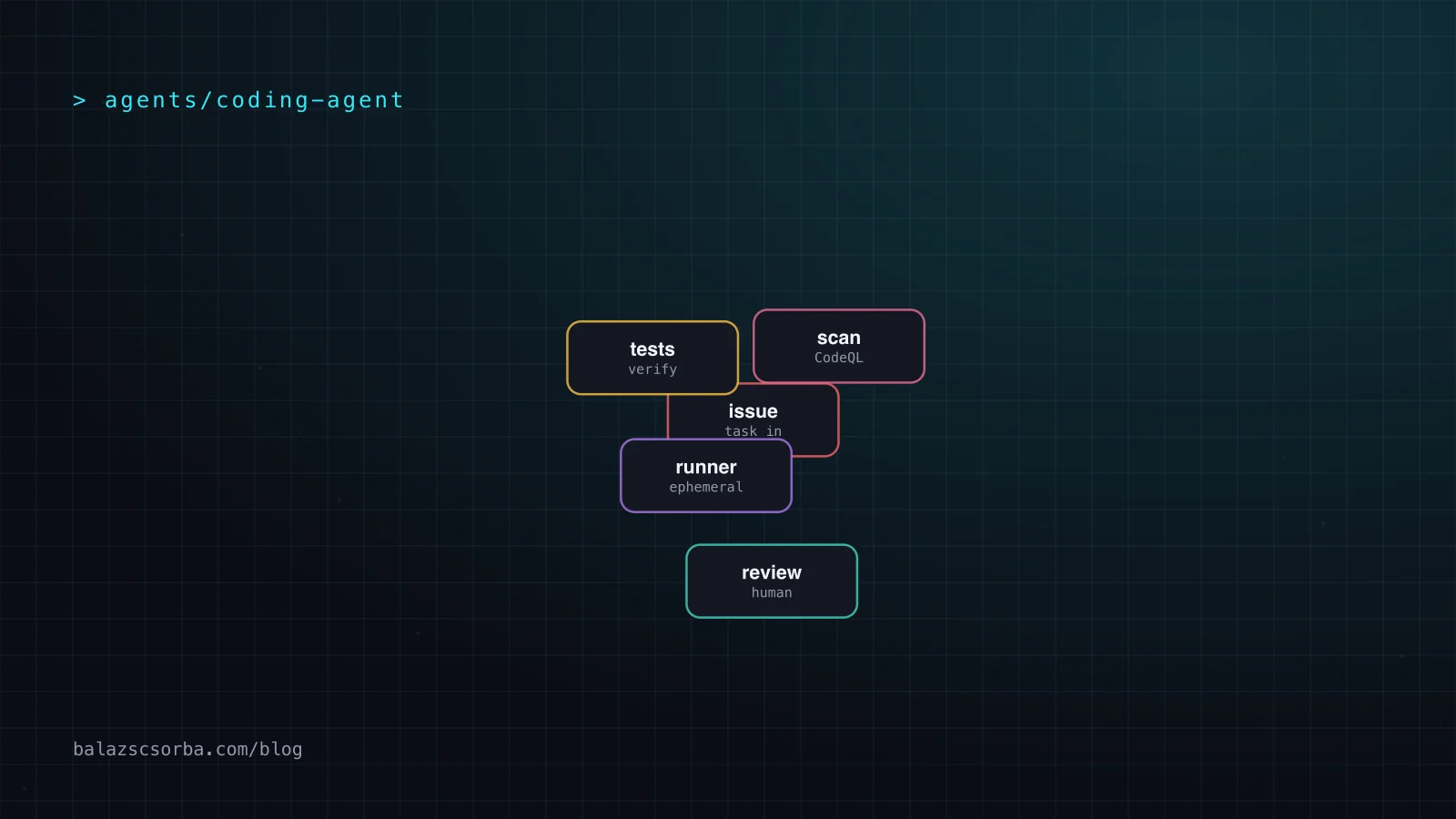
Four server-side steps. The task is combined with repository context and sent to a GitHub-hosted model; the model plans and edits inside the ephemeral environment; tests and linters run there; the result is committed and pushed, and the pull request description becomes the session summary. After that the agent stays available: a review comment, or a mention of @copilot, is fed back in and produces another commit.
The session logs are the part teams under-use. Every commit links to them, they record which tools ran, and Copilot Chat on github.com can be asked what a pull request changed and why, because it pulls the logs into the conversation. When an agent-authored pull request looks wrong, the logs are often more informative than the diff: they show which test ran, which failed twice, and what the agent decided to do instead.
Where it breaks
The honest list is longer than the feature list. These are documented limits rather than bugs found in the wild, and they are the ones that decide whether a workflow survives a real backlog.
- The 59-minute ceiling is the one that hurts. Long migrations and multi-step refactors have to be cut into tasks that each fit, which turns one ticket into three tickets and three reviews.
- The agent only responds to users with repository write access. Comments from outside the repository never reach it, which cuts both ways: a sensible default, and a dead end for external contributors.
- Repository rules can block it outright. A rule that restricts commits to a fixed author list, for example, prevents it from opening or updating pull requests unless an administrator adds Copilot as a bypass actor.
- GitHub-hosted repositories only. A self-hosted GitLab, Gerrit or other code hosting platform gets nothing, and the documentation says so plainly.
- Not available on GitHub Enterprise Server. If that is the deployment target the answer is no, whatever the seat count.
- It can generate code matching public repositories even when the policy to block such suggestions is set. When that happens it shows a reference in the session log rather than a code reference on the suggestion.
Data handling differs by plan, and the difference matters during procurement. Prompts and suggestions sent from an IDE are not retained; prompts and suggestions from chat, mobile and CLI sessions are retained for 28 days. On Business and Enterprise they are not used to train models. On Free, Pro and Pro+ they may be, since 24 April, unless the account opts out. A team reading only the marketing page will not see that line, so check the plan before a rollout rather than after.
- A firewall is enabled by default on the ephemeral environment and blocks outbound connections to hosts that are not allowlisted. It can be customised or switched off, and widening it is the first thing to review when someone asks for it.
- Only the repository in the task is reachable. Other repositories in the same organisation are not.
- The agent filters hidden characters in issue bodies and comments, which closes the cheapest prompt-injection channel.
- Custom instructions, MCP servers and lifecycle hooks are configurable per repository or per organisation, so validation can run inside the agent loop rather than only in CI afterwards.
Getting started
The smallest useful integration is the agent tasks API: one POST, then a task id to poll. It is in public preview, it accepts only user-to-server tokens, and installation tokens are not supported — which rules out a GitHub App that triggers agent runs from a server-side webhook without a human token in the path.
# Start a task: only a user-to-server token works here
curl -X POST \
  -H "Accept: application/vnd.github+json" \
  -H "X-GitHub-Api-Version: 2022-11-28" \
  -H "Authorization: Bearer $TOKEN" \
  https://api.github.com/agents/repos/octo-org/octo-repo/tasks \
  -d '{
    "prompt": "Fix the login button on the homepage",
    "base_ref": "main",
    "create_pull_request": true
  }'

# Poll until the state is completed, failed or timed_out
curl -H "Accept: application/vnd.github+json" \
  -H "Authorization: Bearer $TOKEN" \
  https://api.github.com/agents/repos/octo-org/octo-repo/tasks/$TASK_ID
The response carries a state field with queued, in_progress, completed, failed, idle, waiting_for_user, timed_out or cancelled, and that list is worth wiring into whatever calls it. waiting_for_user in particular is the one a naive poller gets wrong: the agent has stopped to ask a question, and nothing moves until a human answers on the pull request. The same work is available locally as gh agent-task create, gh agent-task list and gh agent-task view --log in GitHub CLI 2.80.0 and later, where the command set is itself a public preview.
Pricing and credits
Copilot is priced by seat, but agents burn a metered currency on top: GitHub AI credits, one credit worth 0.01 US dollars. Inline completions and next-edit suggestions do not use credits and stay unlimited on every paid plan; chat, agents, the CLI and Spaces do. The credit allowance, not the seat price, is what a team of agent-first developers actually manages.
| Plan | Price per month | AI credits | What it adds |
|---|---|---|---|
| Free | $0 | A small allowance | 2,000 completions, limited agents, auto model selection |
| Pro | $10 | 1,000 base plus 500 flex | Cloud agent, code review, third-party agents |
| Pro+ | $39 | 3,900 base plus 3,100 flex | Premium models, roughly four times Pro's usage |
| Max | $100 | 10,000 base plus 10,000 flex | Priority model access, about 2.9 times Pro+ |
| Business | $19 per seat | 1,900 per user | Central policy, budgets, IP indemnity |
| Enterprise | $39 per seat | 3,900 per user | Everything in Business plus pooled credits |
Two pricing details decide whether this is affordable. First, agents are the expensive part of the credit economy: a long session on a frontier model across many files costs far more than a chat question, so a repository where every issue is auto-assigned will exhaust a Pro allowance within a week. Second, past the allowance there are three choices — wait for the reset, switch to a cheaper model, or enable paid usage with a dollar budget — and on Business and Enterprise the administrator, not the developer, makes that call. Since 1 June 2026 code review workflows also consume GitHub Actions minutes, so the runner bill moves with it.
Alternatives
The comparison that matters is not with other cloud agents, because there are very few. It is with the local-first coding agents that run in a developer's terminal. They share the model catalogue and the MCP story; they differ in where they execute and who owns the output.
| Copilot cloud agent | Claude Code | OpenAI Codex CLI | |
|---|---|---|---|
| Execution model | Ephemeral GitHub Actions environment | Local terminal, talks to model APIs directly | Local terminal, with codex cloud as a hand-off |
| Where the diff appears | Draft pull request on a copilot/ branch | Working tree, you commit | Working tree, you commit |
| Stated session limit | 59 minutes, cannot be extended | No published time cap; multi-hour runs described | No published time cap |
| Model choice | GitHub-hosted catalogue, set per task | Anthropic models, Claude plans or API | OpenAI models, ChatGPT plan or API |
| Where the code runs | Already on GitHub, nothing local | Your machine, no remote code index | Your machine unless moved to codex cloud |
The trade is not close on ergonomics. A local agent answers in seconds and can be interrupted mid-thought; this one returns a pull request in minutes and can only be steered by comment. What the local agents do not have is the pull request as the delivery format, branch protection, the scanning hooks and a session log a compliance team can read afterwards. Teams that already live in GitHub issues get more out of Copilot than teams that live in a terminal, and that is the only serious reason to pick it. More on the [tool-by-tool comparison](/blog/agents-md-skills-mcp-cli-decision-matrix) and the [sandboxing checklist](/blog/sandboxing-coding-agents-ci-checklist).
Verdict
Copilot cloud agent is worth the seat price for exactly one job: draining a well-written queue on github.com without a developer babysitting each session. It is a queue processor with a reviewer attached, not an autonomous colleague. Read it that way and it delivers; expect a pair programmer and it disappoints every time.
- Use it for backlog items with objective acceptance criteria: dependency upgrades, generated tests, documentation, security alert fixes, first-pass refactors.
- Do not use it for architecture, for changes that span repositories, or for anything the 59-minute ceiling would cut in half.
- Keep branch protection, code owners and required reviewers. Its pull requests are drafts, which is a convention rather than an enforcement.
- Budget on credits rather than seats, and set the paid-usage policy deliberately in both directions before the first overrun.
- Budget review time. The bottleneck moves from writing the diff to reading it, which is a real saving and a real cost at the same time; the wider version of that argument is in [the AI-generated pull request review bottleneck](/blog/ai-generated-pr-review-bottleneck).
You should always review and test the content generated by the agent to ensure that it meets your requirements and is free of errors or security concerns prior to merging.
Sources
- GitHub Docs: GitHub Copilot on GitHub.com, workflow and limitations
- GitHub Docs: Application card, GitHub Copilot Agents
- GitHub Docs: Plans for GitHub Copilot, prices and AI credits
- GitHub Docs: Using Copilot cloud agent via the REST and GraphQL API
- GitHub Docs: Using Copilot cloud agent from the GitHub CLI
- GitHub Copilot product page: plans, privacy and FAQ
- Anthropic: Claude Code product page
- OpenAI: Codex CLI documentation
Frequently asked questions
What is GitHub Copilot coding agent?
It is an autonomous coding agent that runs on GitHub rather than on a developer's machine. You assign it a GitHub issue or start a task from Copilot Chat, the agents panel, the REST API, the GitHub CLI or an MCP server. It clones the repository into an ephemeral GitHub Actions environment, plans, edits files, runs tests and linters, and opens a draft pull request. The documentation now calls this surface the Copilot cloud agent.
How long can a Copilot coding agent session run?
GitHub documents a maximum execution time of 59 minutes per session, and states that the limit cannot be extended or bypassed. If a task needs longer the session times out and stops. The timeout-minutes setting in copilot-setup-steps.yml can only shorten the ceiling, never raise it, so the remedy is a smaller task.
What do Copilot AI credits cost?
One GitHub AI credit is 0.01 US dollars. Copilot Pro at 10 dollars includes 1,000 base credits plus a 500-credit flex allotment, Pro+ at 39 dollars includes 3,900 plus 3,100, and Max at 100 dollars includes 10,000 plus 10,000. Inline code completions and next edit suggestions do not consume credits and stay unlimited on every paid plan; chat, agents, the CLI and Spaces do consume them.
Can the agent push to my main branch or access my secrets?
No. Pushes are only allowed to branches beginning with copilot/, so the agent cannot write to a default branch directly. Workflows triggered by its pull requests require approval from someone with repository write access. It also has no access to Actions organisation or repository secrets; only secrets and variables explicitly added to the copilot environment are passed in.
Is Copilot coding agent available on GitHub Enterprise Server?
No. GitHub's plans documentation states that Copilot is not currently available for GitHub Enterprise Server. The cloud agent also only works with repositories hosted on GitHub, so a self-hosted GitLab, Gerrit or similar codebase gets nothing from it.
Should I use it instead of a local coding agent?
Use it for queued, well-specified work on github.com: dependency upgrades, test backfills, documentation, first-pass fixes for security alerts. Use a local terminal agent for anything interactive, because the round trip here is measured in minutes and can only be steered by commenting on the pull request.