Tools/RAG & retrieval
Unstructured review: parsing documents for RAG
Unstructured turns PDFs, Word files and images into typed elements for RAG: an Apache-2.0 library plus a platform at $0.015 per page after 10,000 free pages.
- Type
- Document ingestion
- Pricing
- Apache-2.0 · paid tiers
Balázs Csorba··11 min read
- Document parsing
- RAG ingestion
- PDF extraction
- Chunking
- ETL
Key takeaways
- Unstructured is an Apache-2.0 Python library that turns PDFs, Word files and images into typed elements such as titles, tables and lists, with a hosted platform that adds connectors and the VLM strategy.
- The platform charges $0.015 per page after the first 10,000 free pages, while the library runs locally with no page count.
- In the vendor's own benchmark over 1,000 enterprise pages the open-source build reaches 0.426 table-cell content accuracy against 0.820 for the best platform pipeline.
- Table structure and reading order fail without an error, so a sample of the corpus should be read before the embedding model is chosen.
- Telemetry can be switched off with DO_NOT_TRACK and SCARF_NO_ANALYTICS; with the library the documents themselves never leave the machine.
Unstructured is the document-parsing layer most retrieval pipelines start with: an Apache-2.0 Python library that turns PDFs, Word files, HTML, images and spreadsheets into typed elements, titles, tables, lists and prose, plus a hosted platform that adds connectors, change detection and the strategies the library does not ship. The library is the right starting point for nearly everyone; the platform is worth paying for only when tables or scanned archives decide whether the pipeline works at all.
It sits at the front of the stack, before chunking, embedding and retrieval, and it competes with LlamaParse, Docling, Reducto, Azure Document Intelligence and the parsing endpoints of the large cloud vendors. Its advantage is not that it wins every benchmark, its own published results say otherwise for the open-source build, but that the core runs locally under a permissive licence, so nothing in this layer forces a vector database, a chunker or a hosting choice.
What it is
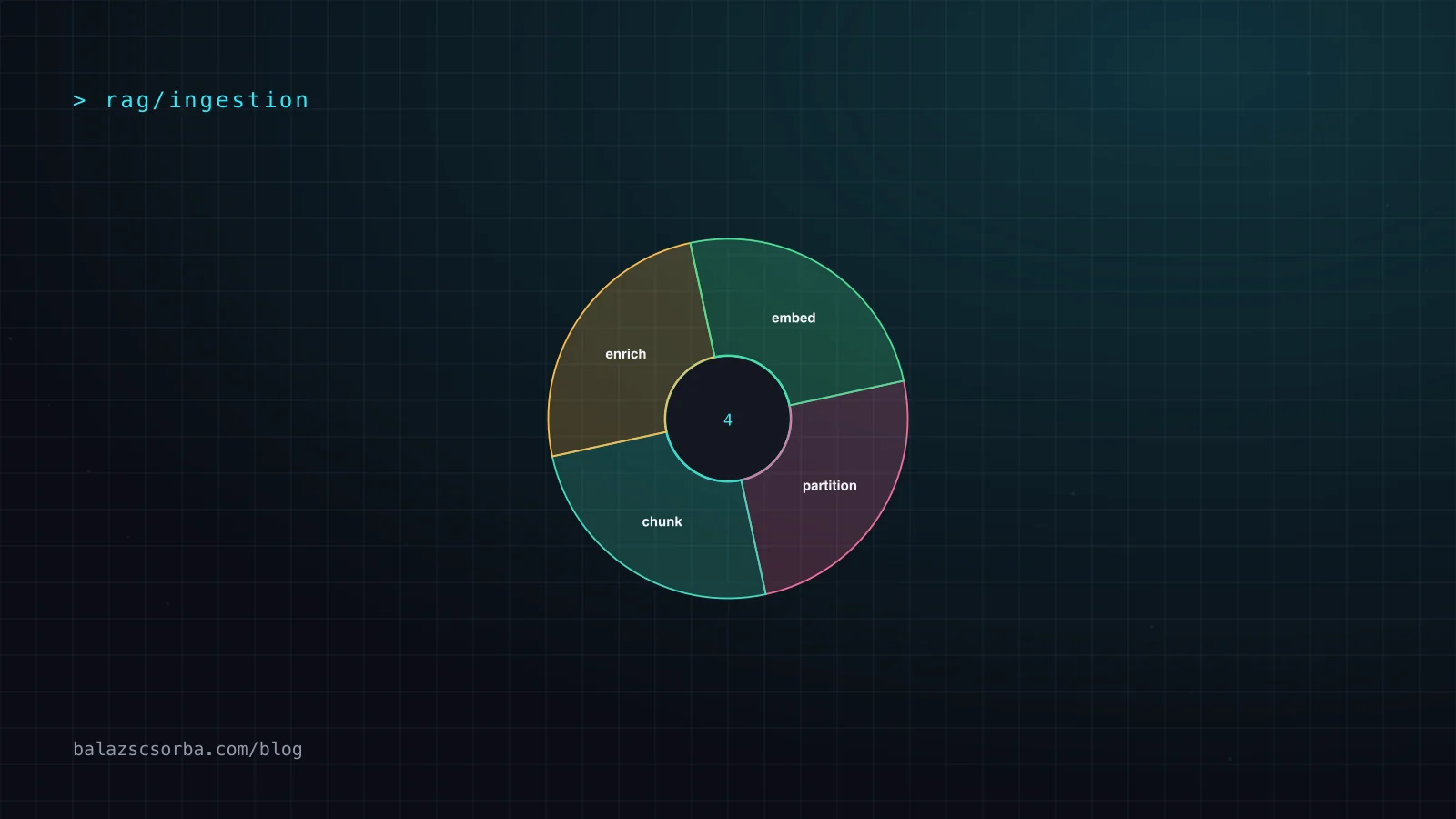
Install with pip install "unstructured[all-docs]", call partition() on a file and get back a list of element objects, each with a type, text and metadata such as page number and bounding box. The strategy argument picks the pipeline: auto, fast, hi_res and ocr_only in the library, with vlm added by the platform to route pages through a vision model. Around that sits a chain, partition, chunk, enrich, embed and load, which the platform runs as a job and the library runs as ordinary functions.
- Licence and ownership: Apache-2.0 for the library; the platform is a commercial product of Unstructured with a free tier, pay-as-you-go and a custom tier.
- Coverage: the pricing page lists 45+ supported file types and 40+ connectors, split across more than 20 sources and more than 20 destinations.
- Output: typed elements such as Title, NarrativeText, Table, ListItem and Image, carrying page numbers, coordinates and element metadata rather than one wall of text.
- Strategies:
auto,fast,hi_resandocr_onlylocally, plusvlmand the enrichment steps in the platform. - Chunking: by title, by page, by character and by similarity, with contextual chunking offered as a platform feature.
- Benchmarks: Unstructured publishes results over 1,000+ enterprise pages against Reducto, LlamaParse, Docling, Snowflake, Databricks and NVIDIA.
- Telemetry: the library reports anonymous usage data unless
DO_NOT_TRACKorSCARF_NO_ANALYTICSis set.
How it works
A run reads the file, renders pages when the strategy needs pixels, then classifies regions into elements. fast takes the embedded text and labels it; hi_res runs layout detection and OCR over the page image, which is why it is slower, why it needs the model stack installed, and why it is the strategy that still produces tables worth keeping; ocr_only is the fallback when a page has no text layer at all. Chunking then groups elements under a character budget while trying not to separate a heading from the section it introduces.
What makes or breaks the output is the element boundary. A table that comes out as HTML with its header row intact chunks into one useful node; the same table read as prose becomes several chunks that each carry half a number. That is the whole argument for caring about this layer, and also the whole reason to read the parser output before changing the embedding model.
Getting started
The library quickstart is a single function call. The snippet below parses a PDF with the high-resolution strategy, keeps table structure, chunks by title and writes the result as JSON.
from unstructured.partition.auto import partition
from unstructured.chunking.title import chunk_by_title
from unstructured.staging.base import elements_to_json

# strategy: auto, fast, hi_res or ocr_only; hi_res is the one that keeps table structure
elements = partition(
    filename="report.pdf",
    strategy="hi_res",
    infer_table_structure=True,
)
chunks = chunk_by_title(elements, max_characters=1_200, combine_under=300)

elements_to_json(chunks, filename="report.elements.json")
print(len(elements), "elements,", len(chunks), "chunks")
For anything beyond a local experiment, the platform is the maintained path: the same partition step behind an API or a scheduled job, connectors to S3, SharePoint, Google Drive and the rest, change detection so only new or modified files are processed, and the vlm strategy. The library remains where the parsing code itself lives, and the documentation is written around it.
Performance and cost
The platform bills pages: 10,000 free to start and $0.015 per page after that, so a 400-page scanned archive is six dollars of parsing before anyone has written a query. The library bills in CPU and wall time instead: fast is close to I/O-bound, hi_res runs a layout model and OCR per page, and the vlm strategy moves the bill from compute to model tokens.
| Pipeline | Adjusted CCT | Tokens added | Table cell content |
|---|---|---|---|
| Unstructured platform | 0.880 | 0.051 | 0.820 |
| Unstructured open source | 0.715 | 0.119 | 0.426 |
| LlamaParse VLM | 0.835 | 0.069 | 0.522 |
| Docling default | 0.716 | 0.135 | 0.657 |
These numbers come from Unstructured's own benchmark of 1,000+ enterprise pages, scanned invoices, nested tables and handwriting, and a vendor-run comparison is marketing, so the useful signal is the gap inside a single product: 0.426 against 0.820 table-cell content between the open-source build and the best platform pipeline, and 0.715 against 0.880 on adjusted text accuracy. Element alignment, whether a region was labelled as heading, table or paragraph, is where every tool in that table clusters between 0.53 and 0.61, which is the honest difficulty of this layer.
- Parse once and keep the element JSON: re-partitioning the same corpus while experimenting with chunking is the most common way this layer burns money.
- Pick the strategy per document type rather than per corpus:
fastfor born-digital text,hi_resfor scans and anything with tables. - Count pages rather than files, because a per-page price makes one 400-page PDF the budget item and not the number of documents.
None of this is specific to this vendor, every parser trades recall against compute. What is specific is that the numbers are published at all, in a table with competitor names attached, which is more than most of the field discloses.
Pricing
Two products share one name. The library is Apache-2.0 and free: install it, run it on your own machine, no account and no page count. The platform is the same parsing wrapped in managed jobs, connectors and compliance, metered by the page.
- Library: Apache-2.0, installed from PyPI, unlimited pages, your own hardware.
- Free: 10,000 pages to start, no card required, all features included.
- Pay-as-you-go: $0.015 per page after the first 10,000 pages, all features included.
- Business: custom pricing for a dedicated instance, VPC or bare-metal deployment, multi-user accounts, role-based access control and the vendor's compliance certifications.
Where it shingles
Start with the weaknesses. The open-source build is the weaker parser and the vendor's own table says so: 0.426 table-cell content against 0.820 for the best platform pipeline, 0.119 invented tokens against 0.051. The price is per page, which rewards born-digital PDFs and punishes scans, and a page is a poor unit of work when one page holds a paragraph and the next holds a 400-cell table. The features that make the platform worth renting, VLM partitioning, incremental change detection, 40+ maintained connectors and the compliance story, are exactly what the licence does not contain. And output still needs spot checks: reading order and table structure are the two fields that fail without an error.
| Tool | What it is | Where it wins | What you give up |
|---|---|---|---|
| Unstructured | Library plus hosted platform | Local run under Apache-2.0 with a published quality benchmark | Per-page billing, and the strong numbers need the paid pipeline |
| LlamaParse | Hosted parser from the LlamaIndex team | Fast setup and tight LlamaIndex integration | Hosted only, so every page leaves your network |
| Docling | IBM's open-source parser | One dependency, MIT licence, strong table output | Fewer file types and no managed connector layer |
| Reducto | Hosted parsing API with layout controls | Table accuracy and layout controls as a service | API only: no local run and no library to extend |
The real decision is who pays for quality. If the corpus is born-digital text and adequate output is enough, the library with strategy="fast" costs nothing per page and is the right size for the job. If tables, scans or regulated data decide whether the pipeline works, the platform or a specialist parser is the purchase, and the only test that matters is a hundred pages of your own documents scored on the fields you actually read.
Verdict
Unstructured is the safest default at the front of a retrieval pipeline because it is boring, local and measurable: one function that returns typed elements, a benchmark you can argue with, and a paid tier you can move to without rewriting ingestion. What is actually being decided is how much parsing quality the product needs, and the vendor's own numbers say the free build is not the paid one.
- Use the library if a pipeline already exists and needs typed elements rather than raw text; it is Apache-2.0, runs locally and can be replaced without touching the rest of the stack.
- Use the platform when pages arrive from S3, SharePoint or Confluence and need connectors, change detection and an audit trail.
- Do not accept it as the parser of record for financial tables without scoring your own documents; the gap between strategies inside one product is larger than the gap between vendors.
- Do not choose it where a heavy local dependency tree is unacceptable, because
unstructured[all-docs]pulls in the OCR and layout stack while Docling or a hosted API is much lighter. - Budget in pages from the start; a per-page price is easy to model and easy to exceed with scanned archives.
Treat document parsing as a measured step rather than plumbing: choose the strategy on a sample of your own pages, keep the element JSON, and change the parser only when the table-cell numbers move.
Sources
Frequently asked questions
Is the unstructured library free to use?
Yes. The library is Apache-2.0, installed from PyPI, and runs without an account or a page limit. What is paid is the hosted platform: 10,000 free pages to start and $0.015 per page after that.
What is the difference between the library and the platform?
The library partitions, chunks and stages data inside your own process. The platform adds managed jobs, more than 40 maintained connectors, change detection so only new or modified files run, the VLM partitioning strategy and the compliance certifications. In the vendor's benchmark that shows up as 0.426 against 0.820 table-cell content accuracy.
Which partitioning strategy should be used?
auto is the default and picks per file, fast reads the embedded text and is the cheapest, hi_res runs layout detection and OCR and is the choice for scans and tables, and ocr_only handles pages with no text layer. The VLM strategy exists only in the platform.
How much does a large document set cost to process?
Beyond the first 10,000 free pages, $0.015 per page means a 500-page scan costs $7.50 on the pay-as-you-go plan. Self-hosting the library costs compute only, which is why large archives are usually parsed locally and only difficult documents go to the platform.