Blog/Security & compliance
Coding agents and secrets: keep keys out of context, logs and commits
How secrets leak through coding agents, and the controls that stop them: deny reads, a sandbox, pre-commit scans, push protection, OIDC and rotation.
Balázs Csorba··11 min read
- AI agents
- Secrets management
- Claude Code
- Pre-commit scanning
- CI security
Key takeaways
- An agent can read whatever sits in the project folder, and reads inside the working directory need no prompt. Deny the files you never want in context with Read rules such as Read(.env).
- Permission rules cover the file tools and common file commands, not every process. Turn the sandbox on for shell commands, and use sandbox.credentials to deny credential files and tokens.
- Local hooks can be skipped, so run pre-commit scanning and GitHub push protection together. The server-side check is the one a local hook cannot skip.
- Use OIDC for cloud access in CI, with the least permission each job needs. Anyone with write access can read every repository secret, so keep long-lived keys out of them.
- Treat a secret that reached a transcript, log or commit as exposed. Rotate it first, then clean up history, because clones and cached views keep old commits.
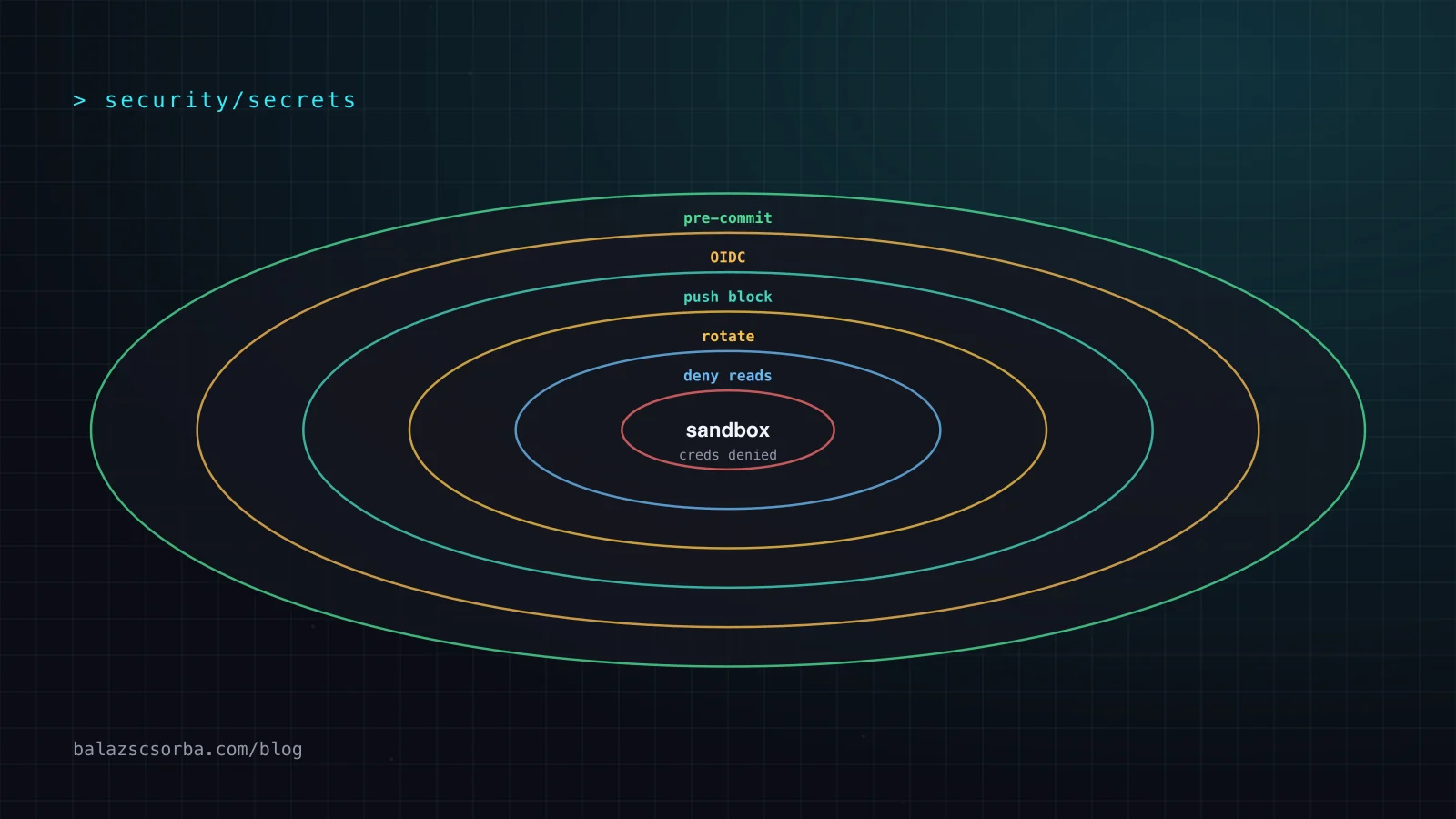
A coding agent reads your project, runs your shell and writes your commits, so every secret in the project folder is one tool call away from the model’s context window. No single setting fixes that. Deny the reads you do not want, sandbox the shell, scan before the commit, let the server refuse pushes that contain secrets, and give CI short-lived tokens. Several of these controls are off by default.
Five ways secrets leak through an agent
Most of these leaks come from defaults, not from an attacker, which is why they are easy to miss.
- The project files. Reads inside the working directory need no approval, according to the Claude Code permissions table, so a
.envfile in the project is readable without a prompt and then sits in the conversation. - The shell. Commands such as
envorprintenvprint values into tool output, and the Claude Code sandbox passes the environment through to commands by default, secrets included. - The transcript. Claude Code keeps session transcripts in plaintext under
~/.claude/projects/for 30 days by default, so whatever the agent printed stays on disk. - The commit.
git add -Abrings the index in line with the working tree, adding, modifying and removing entries. Ignored files are skipped, so a.envmissing from.gitignoreis staged the moment an agent runs it. An agent asked to make a failing test pass may also copy a config value into a fixture and commit it. - The tools. An MCP server can do whatever its token allows, and the MCP security guidance tells clients to warn that local servers run with the same privileges as the client.
The context window is the least visible route. A file or command output becomes part of the conversation, and the conversation goes to the model with each request. Claude Code’s data documentation says prompts and model outputs travel to the model API over TLS. TLS protects that connection, not what the model is shown, so the place to stop a secret is before it is read.
Each route needs its own control, and a line in the system prompt is not one of them. OWASP notes that prompt injection can bypass instructions, such as a rule to never print secrets, so limit access to sensitive data on the principle of least privilege.
Deny reads first: permission rules and the sandbox
Start with the file tools. A Read deny rule stops them from opening a path. The syntax follows gitignore rules, so .env matches at any depth under the working directory, and a path starting with ~/ is anchored to your home folder. Rules are checked deny, then ask, then allow, so a deny always beats an allow.
{
  "permissions": {
    "deny": [
      "Read(.env)",
      "Read(secrets/**)",
      "Read(~/.aws/**)",
      "Read(~/.ssh/**)"
    ]
  }
}
Use .claude/settings.json to share a rule with the team, or ~/.claude/settings.json for your own machine. Deny rules from every scope are evaluated before allow rules. In user settings, use a ~/ or // path to reach every project, because a leading slash is relative to the settings file.
Two limits matter. The rules cover the Read tool, file commands run through Bash such as cat, head, tail, sed and tee, and Bash redirections. They do not cover a command that reads files without naming them, such as grep -r pattern ., or a Python or Node script that opens files itself. And a .claudeignore file has no effect, so move its entries into Read deny rules.
The sandbox is the second layer, and it is off by default. Turn it on with /sandbox or set sandbox.enabled to true. It uses Seatbelt on macOS and bubblewrap on Linux and WSL2, and it covers shell commands only: the file tools, MCP servers and hooks run outside it. Its defaults are wide. Reads cover most of the machine, including ~/.ssh and ~/.aws/credentials, and environment variables are inherited. The credentials block closes those gaps.
{
  "sandbox": {
    "enabled": true,
    "credentials": {
      "files": [
        { "path": "~/.aws/credentials", "mode": "deny" },
        { "path": "~/.ssh", "mode": "deny" }
      ],
      "envVars": [
        { "name": "GITHUB_TOKEN", "mode": "deny" },
        { "name": "NPM_TOKEN", "mode": "deny" }
      ]
    }
  }
}
This is the example from the Claude Code sandbox documentation. It blocks reads of the AWS credentials file and the SSH directory, and removes GITHUB_TOKEN and NPM_TOKEN from the environment of sandboxed commands. Keep it in ~/.claude/settings.json – project settings cannot switch filesystem isolation off. A PreToolUse hook that exits with code 2 blocks a call before permission rules run. Hooks run outside the sandbox, so treat their scripts as trusted code.
Codex has the same gap in another form, and I cover its CLI in my Codex review. Its sandbox_mode can be read-only, workspace-write or danger-full-access, and network access stays off unless you enable it. Its shell environment keeps variables with KEY, SECRET or TOKEN in their names, because ignore_default_excludes defaults to true. Set it to false to drop them before your own filters run:
[shell_environment_policy]
inherit = "core"
ignore_default_excludes = false

[shell_environment_policy.filters]
"AWS_*" = "exclude"
Transcripts, feedback and CI logs
Transcripts are the leak people forget. Claude Code keeps them in plaintext under ~/.claude/projects/ for 30 days by default, and cleanupPeriodDays changes that period. Commercial accounts follow the same 30-day standard retention, and zero data retention is available to qualified Enterprise accounts. The /feedback, /bug and /share commands send a copy of your conversation history, code included, to Anthropic, and those reports are retained for five years. Personal data in a transcript stays personal data wherever it sits, so your deletion routine should cover it.
Claude Code’s error reports redact known secret patterns, but they cover the tool’s own internal errors, not your prompts, files or transcript. CI logs have their own rules. GitHub redacts a value only when the runner knows it, and redaction largely relies on an exact match, so a secret wrapped in JSON can slip through. Create a separate secret for each value, and register any derived value, such as a signed or encoded version.
Scan before the commit
Three open-source scanners cover most of what I would run. They differ in how they decide that something is a secret, and that matters more than the feature list.
| Tool | How it works | Good at | Watch out for |
|---|---|---|---|
| gitleaks | Detects passwords, API keys and tokens in git repositories. A pre-commit hook scans each commit, and gitleaks git scans history. | One tool for the hook and the history scan. | A local hook can be skipped with SKIP=gitleaks. |
| detect-secrets | Scans against a baseline file. The baseline records known secrets, and later scans flag only new ones. | Adopting a repository that already holds secrets. | The baseline accepts existing secrets, so review it before you commit it. |
| TruffleHog | Finds candidate credentials and can verify them by testing them against the service’s API, across more than 800 secret types. | Separating live credentials from dead ones. | Verification sends each candidate to the provider, so check that this suits your data. |
I would start with gitleaks, because its hook is a few lines of YAML and it scans history too. The release page marks v8.30.1 as the latest, so the configuration pins that tag. For a repository that already holds secrets, read my detect-secrets review on baselines.
repos:
  - repo: https://github.com/gitleaks/gitleaks
    rev: v8.30.1
    hooks:
      - id: gitleaks
Run pre-commit install once per clone. The gitleaks README also documents the escape hatch, SKIP=gitleaks git commit, so a local hook catches honest mistakes, and the server needs its own check.
Push protection: the check a local hook cannot skip
GitHub push protection blocks detected secrets in pushes from the command line, commits made in the GitHub UI, file uploads, REST API requests and interactions with the GitHub MCP server, which the docs limit to public repositories. An agent can reach the remote through several of these paths, and the server sees all of them.
Two details decide how much it protects you. Push protection for users is on by default, but only for public repositories on GitHub.com. Push protection for repositories needs GitHub Secret Protection and is off until an administrator enables it. Anyone with write access can bypass a block by giving a reason, and each bypass creates an alert and an audit log entry. Delegated bypass limits who may do that.
CI: short-lived tokens instead of stored keys
The cheapest secret to leak is one that is never stored. With OIDC, a workflow asks GitHub for a token for one job, and the cloud provider checks its subject and other claims against the trust you configured. The access token it issues is valid for that job only. OWASP’s secrets guidance points the same way: prefer short-lived or dynamic secrets. The workflow needs one permission to request the token:
permissions:
  id-token: write # This is required for requesting the JWT
  contents: read # This is required for actions/checkout
The GitHub reference says id-token: write only lets the job fetch the OIDC token, and it grants no write access to other resources. Keep contents: read unless the job pushes. Secrets are not passed to workflows triggered from a fork, except GITHUB_TOKEN. The real risk sits with pull_request_target and workflow_run: the hardening guide warns that, combined with a checkout of untrusted pull request code, they can give that code write access and secrets, and that this can be exploited to take over a repository.
Agents in CI deserve the same suspicion. An agent that reads an issue or a review comment is reading text someone else may have written, so it should not hold secrets it does not need. GitHub says any user with write access can read all repository secrets. Environment secrets can sit behind required reviewers. For the sandbox side, see my AI agent sandbox checklist.
MCP servers: narrow tokens and read-only access
An MCP server holds a credential and offers its tools to the agent, so its token is the real boundary. The MCP security guidance forbids token passthrough, meaning a server must not accept tokens that were not explicitly issued for it, and it asks for a least-privilege scope model. It also lists log leakage as one way an attacker gets a broad token. The identity side is in AI agents are identities.
On the Claude Code side, .mcp.json supports ${VAR} expansion, which the docs recommend for sensitive values such as API keys, so the repository holds a reference rather than the secret. The docs also suggest a read-only database user, so the queries Claude runs cannot modify data. To switch off every MCP tool in a project, a deny rule of mcp__* removes them from the context. Codex’s network proxy, according to its docs, does not filter MCP server connections.
After an exposure: rotate first, clean up second
Rewriting history is cleanup, not the fix. GitHub’s guidance says that after a rewrite and force push, the commits may still be reachable through clones and forks, through SHA-1 hashes in cached views, and through pull requests that reference them. Rewriting also changes every later commit hash, and a colleague who pushes an old clone can bring the secret back. Rotate first.
- Revoke or rotate the credential at the provider, before anything else.
- Check the provider’s audit log for use since the exposure, and treat any use you cannot explain as an incident.
- Delete the CI run log that printed the value, as GitHub advises, and any transcript that holds it.
- If the repository must not keep the value, rewrite history with git-filter-repo, then have every clone owner re-clone.
- Add the pattern to your pre-commit scanner and push protection, so the next leak is refused.
Checklist
| Control | Where it lives | What it stops | How to check it |
|---|---|---|---|
| Read deny rules | permissions.deny in settings.json | Agent file tools, and cat, head or tail reading secrets | Ask a test session to read .env and expect a block |
| Sandbox with credentials denied | sandbox.enabled and sandbox.credentials | Shell reads of ~/.aws and ~/.ssh, and inherited tokens | Run /sandbox and confirm it is on |
| Codex environment filter | shell_environment_policy in config.toml | KEY, SECRET and TOKEN variables reaching commands | Confirm ignore_default_excludes is false |
| Pre-commit scan | gitleaks hook in .pre-commit-config.yaml | Secrets in local commits | Commit a fake key on a branch and expect a refusal |
| Push protection | Repository security settings | Secrets in pushes, UI commits, uploads and MCP calls | Check that it is enabled and that bypass is restricted |
| OIDC for cloud access | id-token: write and the cloud trust policy | Long-lived cloud keys in repository secrets | Delete the cloud keys once the trust works |
| Least-privilege token | permissions block in every workflow | Misuse of GITHUB_TOKEN | Default to contents: read |
| Log hygiene | Derived values registered, no JSON-wrapped secrets | Secrets in CI logs | Search one run log for a test value |
| Rotation runbook | Provider console and audit logs | Live values after an exposure | Rehearse it on one low-value key |
What I would do first
- Add Read deny rules for .env, secret folders, ~/.aws and ~/.ssh. Delete any .claudeignore you were relying on.
- Turn on the sandbox and add credentials entries for the variables and files you actually use.
- Install gitleaks as a pre-commit hook, and turn on push protection for every repository an agent can touch.
- Move CI cloud access to OIDC, and set the permissions of each workflow to the minimum.
- Write the rotation runbook before you need it, and rehearse it on one low-value key.
None of this needs a platform – it needs the defaults changed, a few config files in the repository and the habit of asking, for every secret, whether the agent could read it, print it or commit it.
Sources
- Claude Code: permissions
- Claude Code: sandboxed Bash
- Claude Code: hooks
- Claude Code: data usage
- Claude Code: settings
- Claude Code: MCP servers
- Codex: configuration reference
- Codex: agent approvals and security
- Codex: advanced configuration
- GitHub: about push protection
- GitHub: security hardening with OIDC
- GitHub: OpenID Connect reference
- GitHub: using secrets in Actions
- GitHub: secure use reference
- GitHub: removing sensitive data
- gitleaks: README and latest release
- TruffleHog: README
- detect-secrets: README and latest release
- Model Context Protocol: security best practices
- OWASP: Secrets Management Cheat Sheet
- OWASP: LLM02 sensitive information disclosure
- Git: git-add documentation
Frequently asked questions
Can I stop Claude Code from reading my .env file?
Yes. A Read deny rule such as Read(.env) in permissions.deny blocks the file tools, and the same rule also covers file commands such as cat, head and tail that run through Bash. It does not stop a script that opens files itself, so turn on the sandbox as well.
Does a .claudeignore file keep secrets away from Claude Code?
No. The Claude Code permissions documentation says a .claudeignore file has no effect, so move its entries into Read deny rules.
Are the secrets an agent reads sent to the model?
What the agent reads becomes part of the conversation, and the conversation goes to the model API with each request. Anthropic’s data documentation says prompts and model outputs are sent over TLS, and that session transcripts are kept locally in plaintext for 30 days by default.
What do I do when a key lands in a commit?
Rotate the key first. Rewriting history alone is not enough, because clones, forks, cached views and pull requests can still hold the commit. GitHub Support only helps remove sensitive data where rotating the credential cannot mitigate the risk.