Blog/Web engineering
Shipping LLM features in Nuxt: streaming, structured output, tool approval
Nuxt AI end to end: a server route that holds the API key, streaming parts, strict structured output, tools needing approval, errors and Article 50.
Balázs Csorba··9 min read
- Nuxt
- AI SDK
- Streaming
- Structured output
- Tool approval
- Nitro
Key takeaways
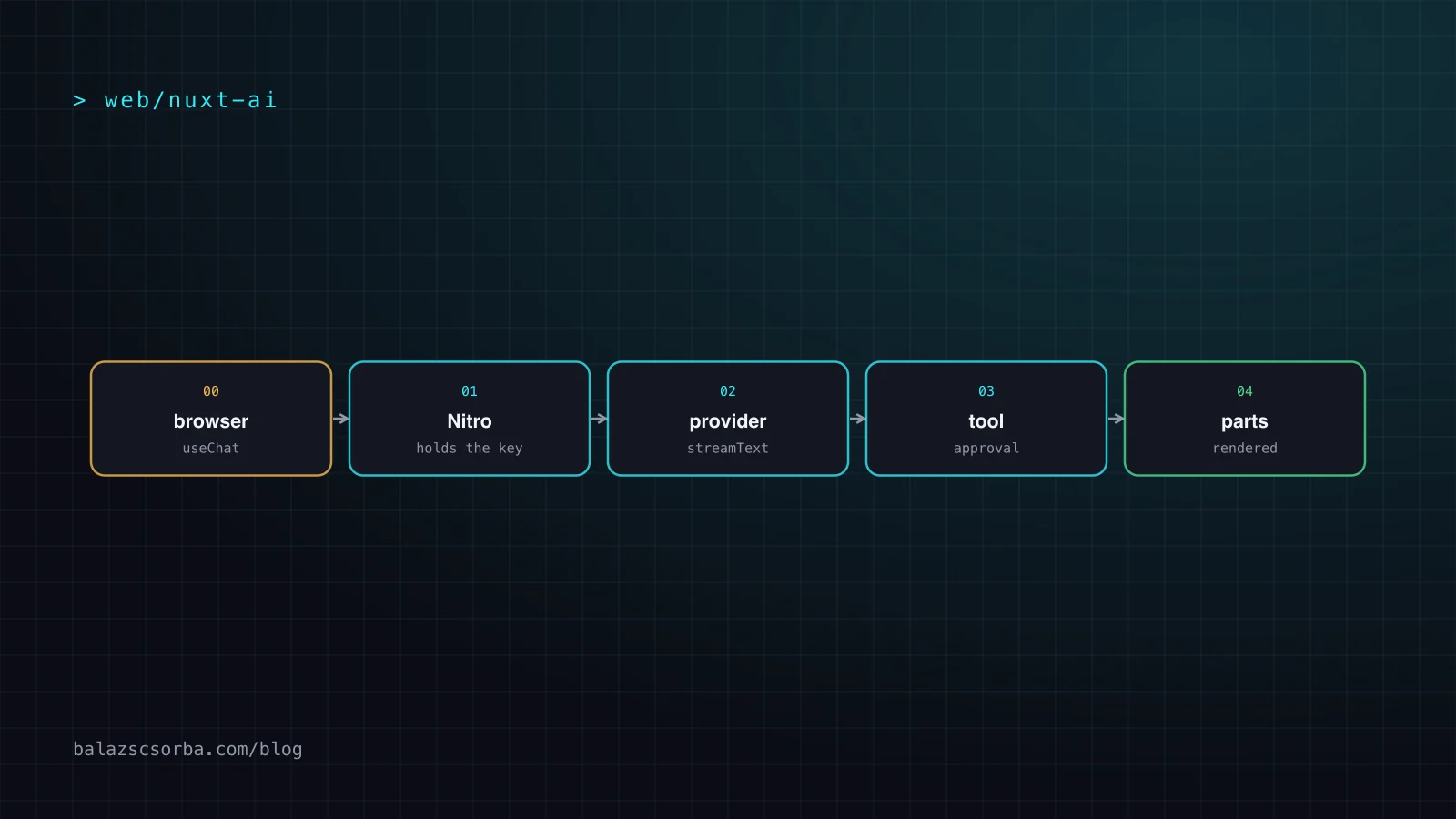
- Nuxt AI features belong in a Nitro server route: the model API key stays in runtimeConfig, the provider call happens on the server, and @ai-sdk/vue only renders the result.
- A streamed answer is an ordered array of message parts, not a growing string, and a tool call produces a tool- prefixed part with no text of its own.
- Structured output is configured with the output option, and providers support only a subset of JSON Schema: no minimum, maximum, minLength or maxLength, and no recursive schemas.
- Tool approval in AI SDK 7 is a toolApproval policy on the call, and approvals should be signed with experimental_toolApprovalSecret because the client controls the message history.
- Article 50 of the EU AI Act has applied since 2 August 2026: a chatbot must tell people they are talking to an AI at the latest at the first interaction.
Nuxt AI features are a Nitro server route plus a small Vue client: the API key lives in runtimeConfig and never reaches the browser, the provider call happens on the server, and the page renders streaming message parts as they arrive. That is the whole architecture. The hard parts are the parts around it: schema-constrained output, tools that must not run without a human, failures you can explain to a user, and the disclosure an EU-facing chatbot owes under Article 50 of the AI Act.
This article builds that architecture with the AI SDK as it stands in September 2026, version 7, and every snippet is labelled with the version it was checked against. Helper names move between major versions, so pin the major version in your package.json and read the docs for the version you pinned.
Where should the model call live?
On the server, always. A browser that calls a model API directly ships the key to anyone who opens the devtools, and there is nowhere to enforce rate limits, redact personal data or log what happened. In Nuxt that means a file in server/api, which Nitro turns into an HTTP route, plus @ai-sdk/vue in the client.
// nuxt.config.ts – runtime config is server-only
export default defineNuxtConfig({
  runtimeConfig: { aiGatewayApiKey: '' },   // filled from NUXT_AI_GATEWAY_API_KEY
})
// server/api/chat.ts – AI SDK 7
import { streamText, convertToModelMessages, toUIMessageStream,
createUIMessageStreamResponse, createGateway } from 'ai'
import type { UIMessage } from 'ai'
export default defineEventHandler(async (event) => {
const { messages }: { messages: UIMessage[] } = await readBody(event)
const gateway = createGateway({ apiKey: useRuntimeConfig().aiGatewayApiKey })
const result = streamText({
model: gateway('anthropic/claude-sonnet-5'),
messages: await convertToModelMessages(messages),
})
return createUIMessageStreamResponse({
stream: toUIMessageStream({ stream: result.stream }),
})
}) Three types are doing the work here. UIMessage is what the client sends: the whole conversation with UI metadata such as timestamps. convertToModelMessages() strips that metadata down to the ModelMessage[] the model expects. And toUIMessageStream() converts the model's raw response stream into the UI stream protocol, which is what the Nuxt quickstart documents. If you use a provider directly instead of the Vercel AI Gateway, the shape stays the same and only the model line changes.
How do streaming message parts work?
A streamed answer is not a string that gets longer. It is an ordered array of parts on each message, and the client appends to them as they arrive. A part can be text, a reasoning trace, a file, or a tool call, and a tool part is named tool- plus the key you defined the tool under. That is why you render with a v-for and a switch on part.type rather than interpolating message.content.
<script setup lang="ts">
import { useChat } from '@ai-sdk/vue'
const { messages, sendMessage } = useChat()      // posts to /api/chat
const input = ref('')
const submit = () => { sendMessage({ text: input.value }); input.value = '' }
</script>

<template>
  <div v-for="(message, index) in messages" :key="message.id ? message.id : index">
    <template v-for="(part, i) in message.parts" :key="`${message.id}-${part.type}-${i}`">
      <p v-if="part.type === 'text'">{{ part.text }}</p>
      <ToolCallCard v-else-if="part.type === 'tool-get_order'" :part="part" />
    </template>
  </div>
</template>
Two consequences. First, keep the key stable per part, or Vue reuses the wrong DOM node mid-stream and the text flickers. Second, a tool call produces a part but no text, so a naive chat transcript shows a blank turn: the model has finished a step, not the conversation. That is what stopWhen is for. The default is isStepCount(1), which stops after the first step even when there are tool results waiting; raising it lets the model see its own tool output and answer the original question.
// server/api/chat.ts – AI SDK 7
const result = streamText({
  model: gateway('anthropic/claude-sonnet-5'),
  messages: await convertToModelMessages(messages),
  stopWhen: isStepCount(5),                      // default: isStepCount(1)
  tools: {
    get_order: tool({
      description: 'Look up one order by its order number.',
      inputSchema: z.object({ orderNumber: z.string().describe('Order number, e.g. 4711') }),
      execute: async ({ orderNumber }) => db.findOrder(orderNumber),
    }),
  },
})
Bound that number. A step cap is the only thing between a confused model and a tool loop, and it is the same stop condition you would write anywhere else. The browser should also show that a tool is running: a spinner on the tool- part tells the user why the answer is taking four seconds, which is a large part of perceived quality.
How do I get structured output, and what are the limits?
Structured output is a property of the generateText and streamText call, configured with the output option, and the same schema both steers the model and validates the result. Pick the narrowest shape that fits the job.
| What you need | Output type | What is enforced |
|---|---|---|
| Plain prose | Output.text() | Nothing; you get a string |
| One object | Output.object({ schema }) | Schema-validated object |
| A fixed number of rows | Output.array({ element, minItems, maxItems }) | Element schema and bounds |
| A label from a fixed set | Output.choice({ options }) | Must be one of the options |
| Free-form JSON | Output.json() | Valid JSON only, no shape |
// server/api/triage.ts – AI SDK 7
const { output } = await generateText({
  model: gateway('anthropic/claude-sonnet-5'),
  output: Output.object({
    name: 'Triage',
    description: 'A routing decision for one support ticket.',
    schema: z.object({
      severity: z.number().describe('1 to 4, 4 is a total outage'),
      team: z.enum(['billing', 'shipping', 'platform']),
      summary: z.string().describe('One sentence, no customer name'),
    }),
  }),
  prompt: ticket.body,
})
Now the part that bites. Structured outputs work through constrained decoding, which means the provider supports a subset of JSON Schema, not all of it. The Claude structured outputs documentation lists the subset precisely, and three entries decide whether your design survives:
- No numerical or string bounds.
minimum,maximum,multipleOf,minLengthandmaxLengthare not supported. Validate ranges in your own code, where you can also produce a useful error message. - No recursive schemas. A comment tree or a linked work item has to be flattened into a list of nodes with parent ids, or handed back as text.
- Tight rules elsewhere. Objects need
additionalProperties: false, arrayminItemsis only 0 or 1, enums hold only strings, numbers, booleans or nulls, and external$refis out.
Use an unsupported feature and you get a 400 with details, at request time, not a subtle generation failure. On the wire the contract is output_config.format with type: "json_schema"; the older output_format parameter is deprecated. And remember the accounting: generating the structured output is itself a step, so stopWhen has to allow for the tool calls plus the output.
How do tools get a human in the loop?
In AI SDK 7, approval is a policy on the call, not a property of the tool. toolApproval maps tool names to a status, and the tool approvals documentation defines four: no approval metadata and execute normally, record an automatic approval, record an automatic denial with a reason, and user-approval, which emits a request and waits for an answer. Because it is a function as well as a map, the decision can depend on the parsed input and the caller's role.
// AI SDK 7
const result = await generateText({
  model: gateway('anthropic/claude-sonnet-5'),
  messages,
  tools: { issue_refund: tool({ inputSchema: refundSchema, execute: runRefund }) },
  toolApproval: {
    issue_refund: async ({ amountCents }, { runtimeContext }) => {
      if (runtimeContext.role !== 'support-lead') {
        return { type: 'denied', reason: 'Only a support lead can refund' }
      }
      return amountCents > 5000 ? 'user-approval' : undefined
    },
  },
})
The client side is one part type and one call. Approval requests appear as tool parts with state: 'approval-requested', and you answer with addToolApprovalResponse(), optionally passing sendAutomaticallyWhen: lastAssistantMessageIsCompleteWithApprovalResponses so the SDK resends once the answer is in. When a tool is denied, tell the model not to retry, or you have built an approval loop.
If a tool is an action on your own site rather than on the user's page, you can also push the model into the browser and let the page own it. That is the WebMCP route, and it composes well: the Nitro route holds the key and the approvals, the page tool holds the UI.
How do errors, timeouts and fallbacks behave?
The first surprise is that in a stream, errors are not thrown. streamText starts streaming immediately, and a failure partway through becomes part of the stream rather than an exception, so the connection does not crash and the user still has the first paragraph. That only helps if you handle it, which means an onError callback on the server and an error part in the UI.
The second is that a missing output is not the same as a broken one. Non-streaming calls report a failed schema match as NoObjectGeneratedError, which preserves the generated text, the response metadata and the token usage, so you can log what went wrong without guessing. If the final step ends on tool calls rather than a stop reason, reading output throws NoOutputGeneratedError instead. Both are ordinary control flow; handle them separately, because only one of them is a bug.
For everything else, decide before launch what the user sees. A timeout needs a ceiling you wrote down, because proxy defaults are not a product decision. A fallback to a cheaper model needs a threshold, not a hunch, and cost and latency budgets are worth measuring per feature rather than assuming. A rejected request is not a failure to hide: say what was refused. And an offline path is worth more than it sounds, because a feature that only works with a network is a feature you cannot demo.
<!-- Your own error surface, not SDK output -->
<p role="alert">The assistant is unavailable, so your message was not sent.</p>
If you serve agents as well as people, none of this is optional. My own llms.txt and Markdown representations cover the case where no browser session exists at all, which is what llms.txt versus Accept: text/markdown is about.
What does Article 50 ask of a chatbot?
Since 2 August 2026, the transparency obligations in Article 50 of the EU AI Act apply, and the one that catches teams is the simplest: if a system interacts directly with people, they must be informed that they are interacting with an AI system. The text of Article 50 puts the disclosure at the latest at the time of the first interaction, which rules out a line buried in a footer that nobody reads. Put it where the conversation starts, and put it there before the first token arrives. The Commission's final guidelines on the transparency obligations were published in July 2026; the full checklist for developers is in the Article 50 developer checklist. This is not legal advice.
The telemetry you want from day one is small and mostly about trust. Per request: the model and version, tokens in and out, time to first token and total duration. Per tool: which tool, the approval status, who approved it and when. Per failure: which error class, and whether a fallback fired. Plus one number only the product owner cares about, the disclosure state that was in force when the session started. The AI SDK ships a telemetry module, but the approval log is yours to write, and it is the one an auditor or an angry customer will ask for.
Two rules keep this honest. Log the request id, the model and the outcome, not the prompt text: prompts are the fastest way to end up with personal data in a log store nobody reviewed. And decide what data leaves the machine before you ship, because retrofitting that is a rewrite. If you are working through this for a team, the Vue and Nuxt side of it is mostly SSR, streaming and keeping the secrets in runtimeConfig.
Nuxt AI checklist
- Keep the key on the server. One Nitro route in
server/api, key inruntimeConfig, read from the environment only. - Stream and render parts, not strings. A stable key per part, and a visible state for tool parts.
- Cap the steps.
stopWhen: isStepCount(n)with a number you chose, plus a tool that will refuse nonsense input. - Pick the narrowest output type that fits, and design inside the supported schema subset: no bounds, no recursion, closed objects.
- Validate what the model returns against your own rules, because the schema cannot express all of them.
- Require approval for consequential tools with
toolApproval, and sign approvals withexperimental_toolApprovalSecretso a crafted client cannot skip the human. - Handle stream errors with
onErrorand distinguish a failed object from a missing one. - Write down the timeout and the fallback threshold before launch, and show the user which one fired.
- Disclose the AI at the first interaction and log the disclosure state with the request.
Sources
Frequently asked questions
How do I keep an LLM API key out of the browser in a Nuxt app?
Put the key in runtimeConfig in nuxt.config.ts, leave the value empty there, and fill it from an environment variable such as NUXT_AI_GATEWAY_API_KEY. Then call the model from a file in server/api, which Nitro exposes as an HTTP route. The client component talks to that route, never to the provider, so the key, your rate limits and your redaction all stay on the server.
What is a UI message part in the AI SDK?
Each message in a streaming chat is an ordered array of parts, and the client appends to them as they arrive. A part can be text, a reasoning trace or a tool call, and tool parts are named tool- followed by the key you defined the tool under. That is why you render with a loop over message.parts and a switch on part.type, instead of interpolating a single content string.
Why does my chatbot show an empty turn after a tool call?
Because generating a tool call completes a step, not the conversation. In the AI SDK the default stop condition is isStepCount(1), so generation stops after the first step even though tool results are waiting to be sent back to the model. Raise stopWhen, for example to isStepCount(5), so the model sees its own tool output and then answers the original question.
Which JSON Schema keywords do structured outputs not support?
Providers enforce a subset of JSON Schema through constrained decoding. On the Claude API that excludes recursive schemas, numerical constraints such as minimum, maximum and multipleOf, string constraints such as minLength and maxLength, complex types inside enums, external $ref references, and array constraints beyond minItems of 0 or 1. Objects must set additionalProperties to false. Using an unsupported keyword returns a 400 with details at request time.
Do EU users have to be told a website chatbot uses AI?
Yes. Article 50 of the EU AI Act has applied since 2 August 2026, and it requires that people are informed when a system interacts directly with them. The Article 50 text places the disclosure at the latest at the time of the first interaction, so a chatbot should say so where the conversation starts rather than in a footer. This is a summary for engineers, not legal advice.