Blog/LLMOps & evals
Structured outputs with JSON Schema: what the guarantee covers, and what it does not
How structured outputs and constrained decoding work on OpenAI, Claude, Gemini and vLLM, which schema rules matter, and what you still validate.
Balázs Csorba··9 min read
- Structured outputs
- JSON Schema
- Constrained decoding
- LLM APIs
- Validation
Key takeaways
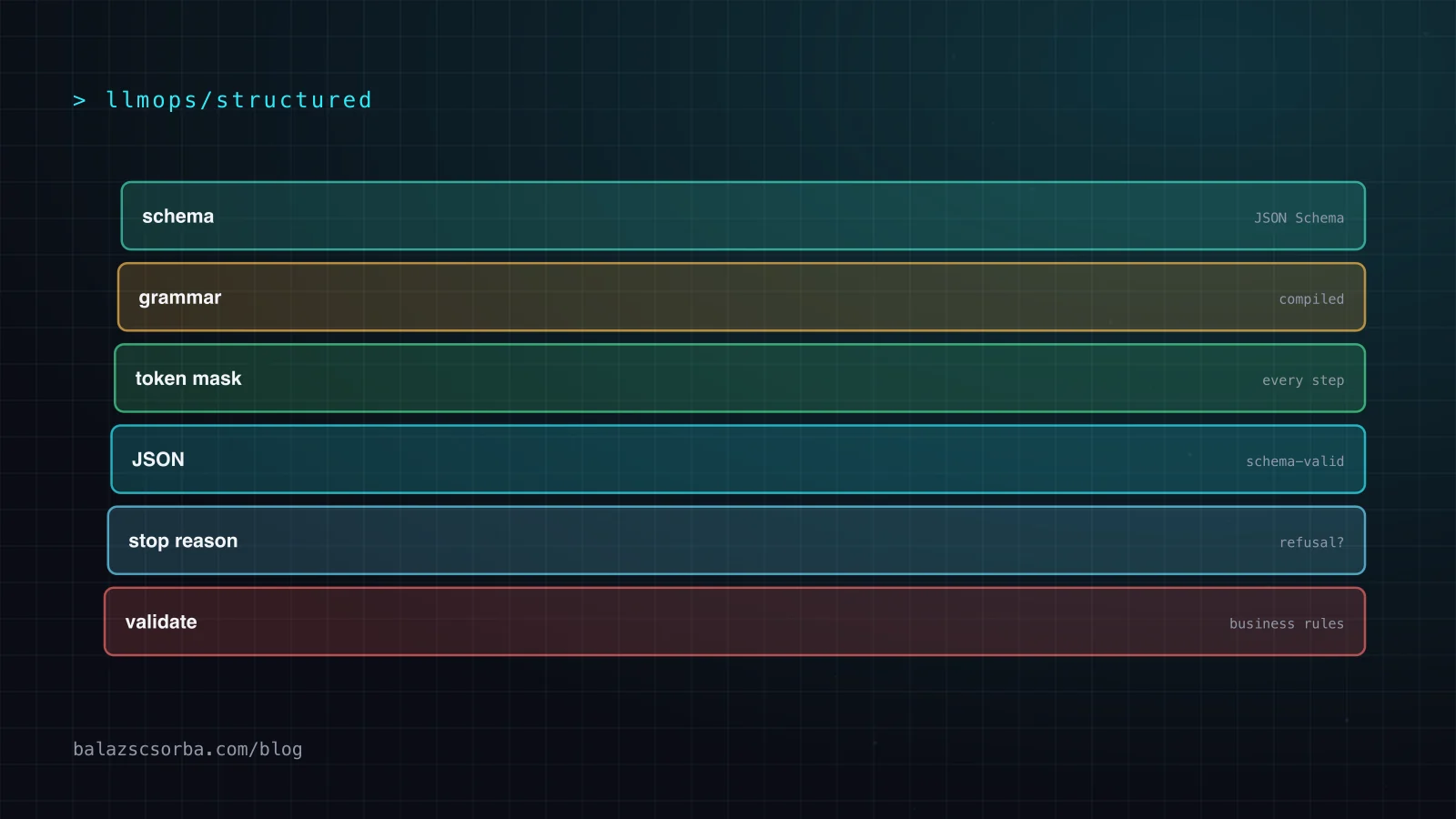
- Structured outputs compile your JSON Schema into a grammar and mask invalid tokens, so responses parse and match the schema by construction.
- JSON mode only guarantees valid JSON; structured outputs guarantee the shape, and strict tools apply the same guarantee to tool arguments.
- OpenAI, Claude and Gemini each support a different JSON Schema subset; design for the intersection with required fields, nulls and additionalProperties false.
- Refusals, max_tokens truncation, enum casing and rejected schemas are documented exceptions that need their own code paths.
- A schema-valid object can still be wrong, so validate references and plausibility in code and measure quality with and without the schema.
Asking a model to "reply in JSON" works until it doesn't: a trailing comment, a missing field, a string where your code expects a number. Structured outputs fix the syntax half of that problem. The provider compiles your JSON Schema into a grammar and only lets the model emit tokens that keep the output valid, so the response parses and matches the schema by construction. OpenAI, Anthropic, Google and the open-source inference servers all ship a version of it now.
The other half is still yours. A schema-valid object can contain the wrong customer, an invented date or a refusal. This guide covers how constrained decoding works, how the three big APIs differ, which schema rules trip people up, the failure cases the guarantee does not cover, and the validation layer that should sit behind it.
JSON mode, structured outputs and strict tools
There are three levels, and they are easy to confuse. Prompt-only JSON is an instruction and nothing more. JSON mode guarantees syntactically valid JSON but not your shape: OpenAI's guide says both modes produce valid JSON, but "only Structured Outputs ensure schema adherence". JSON mode even has a trap of its own: if the prompt does not mention JSON, the model may emit an endless stream of whitespace, which is why OpenAI's API rejects a JSON-mode request when the string "JSON" appears nowhere in the context.
Structured outputs constrain the final answer to a schema. Strict tool use applies the same guarantee to tool arguments: set strict: true on the tool definition and the arguments the model sends validate against the tool's input schema. Use the first when the model answers your code, the second when the model calls your code. Anthropic's API lets you combine both in one request.
How constrained decoding works
At every generation step a model produces a probability for each token in its vocabulary. Constrained decoding keeps a state machine derived from your schema and masks out every token that would make the output invalid at that point. After an opening brace and a required key, a closing brace is simply not available. The model still chooses the content; the grammar only removes options that cannot lead to valid output.
Compiling that grammar costs time. Anthropic's docs say the first request with a new schema has extra latency while the grammar compiles, and that compiled grammars are cached for 24 hours from last use. Changing the schema structure or the set of tools invalidates the cache; changing only a name or description does not. OpenAI notes a similar first-request delay only for fine-tuned models. In practice: keep schemas stable and versioned, and warm them up after a deploy if the first user should not pay for compilation.
OpenAI, Claude, Gemini and vLLM compared
All four accept JSON Schema, all four support only a subset of it, and the subsets differ. This is what the current docs say:
| How you enable it | Schema rules worth knowing | Documented limits | |
|---|---|---|---|
| tagchildren | text.format with type: "json_schema" and strict: true (Responses API) | All fields required (emulate optional with a null union); additionalProperties false; no allOf, not, if/then/else; keys come out in schema order | Up to 5,000 object properties, 10 nesting levels, 1,000 enum values |
| tagchildren | output_config.format; strict: true on tools | additionalProperties must be false; no numeric or string length constraints; minItems only 0 or 1; required properties are emitted before optional ones | 20 strict tools, 24 optional parameters, 16 union-typed parameters per request |
| tagchildren | response_format with mime_type: application/json and schema | Supports enum, format, minimum/maximum, minItems/maxItems, prefixItems; null via type arrays | "Very large or deeply nested schemas may be rejected" |
| tagchildren | structured_outputs (json, regex, choice, grammar) | Backends: xgrammar or guidance; the old guided_json fields were removed in v0.12.0 | Depends on backend and model |
Two details in that table cause most of the surprises. First, the ordering rules differ: OpenAI emits keys in schema order, Claude puts required properties first and optional ones after. If you rely on the order (for streaming partial objects into a UI, say), make every property required. Second, Claude's limits are counted across all strict schemas in one request, so four strict tools with six optional parameters each already hit the 24-parameter cap. When the combined grammar gets too big you get a 400 with "Schema is too complex for compilation".
Schema design rules that hold on every provider
If a schema has to run on more than one provider, design for the intersection. These are the rules I use:
- Make every field required, and model "unknown" as null. A
["string", "null"]type is explicit and works everywhere; a missing key is ambiguous. On Claude, union types count toward the 16-parameter limit, so use them only where null is a real answer. - Set additionalProperties to false on every object. Claude and OpenAI strict mode require it, and it stops the model from inventing fields your code silently ignores.
- Prefer enums to free text for anything you branch on. Status, category, intent. Compare enum values case-insensitively anyway: Claude's docs warn that capitalisation of enum and const values is not guaranteed.
- Put the rules in descriptions, not in constraints. Claude ignores minLength, maximum and similar keywords; write "ISO 4217 code, three letters" in the description and check it in code.
- Keep it flat and small. Nesting, unions and optional parameters multiply grammar size. Two simple calls often beat one schema that tries to capture everything.
- Add an explicit escape hatch. A field such as
"confidence": "low" | "high"or"not_found": truegives the model a valid way to say it does not know. Without it, the schema forces an answer.
A typed extraction in TypeScript
The SDKs hide the schema plumbing. With the Anthropic TypeScript SDK you wrap a Zod schema in zodOutputFormat() and call client.messages.parse(), which sends it as output_config.format and returns a typed parsed_output. OpenAI's equivalent is responses.parse() with zodTextFormat(). The part the SDK cannot do for you is the stop-reason check and the business rule after it:
import Anthropic from "@anthropic-ai/sdk";
import { zodOutputFormat } from "@anthropic-ai/sdk/helpers/zod";
import { z } from "zod";

const OrderLine = z.object({
  sku: z.string().describe("Article number exactly as written in the email"),
  quantity: z.number().int().describe("Ordered quantity, a positive integer"),
  unit: z.enum(["piece", "box", "pallet"]),
  delivery_date: z.string().nullable().describe("ISO date, or null if none given"),
});
const Order = z.object({ lines: z.array(OrderLine), not_an_order: z.boolean() });

const client = new Anthropic();
const res = await client.messages.parse({
  model: "claude-opus-5-5",
  max_tokens: 4096,
  messages: [{ role: "user", content: `Extract the order lines:\n\n${email}` }],
  output_config: { format: zodOutputFormat(Order) },
});

if (res.stop_reason === "refusal" || res.stop_reason === "max_tokens") {
  throw new Error(`no usable output: ${res.stop_reason}`);   // schema not guaranteed here
}
const order = res.parsed_output!;
for (const line of order.lines) {
  if (line.quantity <= 0 || !(await skuExists(line.sku))) {   // business rules: your job
    await queueForHumanReview(email, order);
    break;
  }
}
The Zod refinements (.int(), the descriptions) still help: the description reaches the model as guidance, and you can run Order.parse() again yourself if you want a second, local check of constraints the provider does not enforce.
When the guarantee does not hold
"Guaranteed schema compliance" has documented exceptions, and each needs a code path:
- Refusals. Claude returns
stop_reason: "refusal"with HTTP 200, and the output may not match the schema. OpenAI puts a separaterefusalfield in the response. Anthropic also warns that a property asking for the model's step-by-step reasoning can trigger a reasoning-extraction refusal; ask for a short explanation instead. - Truncation. If the response hits
max_tokens(Claude) ormax_output_tokens(OpenAI, statusincomplete), the JSON is cut off. Raise the limit or shrink the output; never parse it optimistically. - Enum casing. Covered above: compare case-insensitively.
- Schema rejected. Unsupported keywords or too much complexity return a 400 before any generation. Test every schema in CI, not first in production.
- Feature conflicts. On Claude, citations and structured outputs are incompatible (400), and so are prefills. If you need sourced answers and JSON, do it in two steps.
Does constraining the format hurt answer quality?
This is the most argued-about question, and the evidence points both ways. "Let Me Speak Freely?" (Tam et al., 2024) reported "a significant decline in LLMs reasoning abilities under format restrictions", with stricter constraints causing more degradation. JSONSchemaBench (Geng et al., 2025) re-ran three tasks with a corrected prompt and found the opposite: every constrained-decoding framework scored at or above the unconstrained baseline, with Guidance reaching 83.8% on GSM8K against 80.1% for the model alone.
My reading: the prompt and schema design matter more than the mechanism. What hurts is forcing the model to commit to an answer field before it has reasoned. Two fixes work. On reasoning models, let the thinking happen in the thinking blocks: Claude's grammar does not apply to thinking, so the model reasons freely and only the final answer is constrained. On other models, put a short explanation field before the answer field (OpenAI emits keys in schema order). And measure it on your own task, with a small eval set run with and without the schema.
The validation layer behind the schema
Treat the model output like input from an untrusted client: parse, validate, then act. The schema removes one class of errors (syntax and shape), so the remaining checks get simpler, not optional. What I put behind every structured call:
- Stop-reason gate. Anything other than a normal end goes to an error path.
- Referential checks. IDs, SKUs, customer numbers and dates are looked up against your data. This is where most real errors surface, and where grounding matters more than format.
- Plausibility rules. Quantities above a threshold, dates in the past, totals that do not add up.
- One repair attempt, then a human. Feed the validation error back once; if it still fails, queue the case for review instead of looping.
- Log the schema version. When you change a schema, old traces must stay interpretable, and your evals should run against the version in production.
Libraries such as Pydantic AI and Guardrails AI package parts of this loop. For routing and triage decisions, where you also need to know how sure the model is, see typed decisions with calibrated confidence.
Structured outputs on self-hosted models
vLLM supports structured outputs with xgrammar or guidance as backends, through its OpenAI-compatible server (response_format with a JSON Schema) or the structured_outputs parameter, which also accepts a regex, a fixed list of choices or a context-free grammar. If you upgrade from an older vLLM, note that the guided_json, guided_regex and related fields were removed in v0.12.0. vLLM also combines structured outputs with reasoning parsers, so a reasoning model can think freely and still return constrained JSON.
JSONSchemaBench is the useful reference here: it tested Guidance, Outlines, llama.cpp, XGrammar, OpenAI and Gemini on 10,000 real-world schemas for efficiency, coverage and quality, and found that no single engine was best on every instance. If you self-host, run your own schemas through your chosen backend before you commit to it.
Checklist
- Use structured outputs (not JSON mode) for answers, strict tools for tool arguments.
- Design schemas for the intersection: all fields required, null for unknown, additionalProperties false, enums for anything you branch on.
- Check every schema against each provider's limits in CI.
- Handle refusal and truncation before you parse.
- Compare enums case-insensitively.
- Validate references and plausibility in code; one repair attempt, then a human.
- Version schemas, log the version with every trace, and warm up new schemas after a deploy.
- Measure quality with and without the schema on your own eval set.
If you are building this into a Nuxt front end, the Nuxt LLM features guide shows the streaming side. For help designing extraction pipelines, see AI engineering.
Sources
- OpenAI API docs: Structured model outputs
- Claude API docs: Structured outputs
- Gemini API docs: Structured outputs
- vLLM docs: Structured Outputs
- Tam et al.: Let Me Speak Freely? A Study on the Impact of Format Restrictions on Performance of LLMs (2024)
- Geng et al.: JSONSchemaBench: A Rigorous Benchmark of Structured Outputs for Language Models (2025)
Frequently asked questions
What is the difference between JSON mode and structured outputs?
JSON mode guarantees that the output is syntactically valid JSON, but not that it has the fields and types you need. Structured outputs constrain generation to your JSON Schema, so the response matches the schema except in documented cases such as refusals or truncation. Use structured outputs whenever your provider and model support them.
Do structured outputs make LLM answers worse?
The evidence is mixed. A 2024 study reported weaker reasoning under strict format restrictions, while JSONSchemaBench in 2025 found constrained decoding at or above the unconstrained baseline with a corrected prompt. Let the model reason before it commits to an answer field, either in thinking blocks or in an explanation field placed first, and measure it on your own task.
Do I still need to validate the output when using strict mode?
Yes. The schema guarantees shape, not truth. Check the stop reason, look up IDs and article numbers against your data, apply plausibility rules, and send failing cases to one repair attempt and then to a human.
Why does my JSON schema return a 400 error?
Usually because it uses keywords the provider does not support, such as allOf on OpenAI or minLength on Claude, or because the combined complexity is too high. Claude counts its limits of 20 strict tools, 24 optional parameters and 16 union-typed parameters across all schemas in one request.
How do I make a field optional in OpenAI strict mode?
Strict mode requires every field to be listed as required. Emulate an optional field with a union that includes null, for example a type of string or null, and treat null as unknown in your code.