Blog/Web engineering
Core Web Vitals for Nuxt sites and shops: fixing LCP, INP and CLS
How to fix LCP, INP and CLS in Nuxt 4 sites and shops: images, hydration, fonts, third-party scripts, prerender vs SSR vs ISR, and measuring real users.
Balázs Csorba··13 min read
- Core Web Vitals
- Nuxt
- Performance
- E-commerce
Key takeaways
- Core Web Vitals are judged on field data at the 75th percentile: LCP at 2.5 seconds or less, INP at 200 milliseconds or less, CLS at 0.1 or less. Lighthouse cannot measure INP, so a green lab score proves little.
- Most Nuxt LCP problems are discovery problems: the hero image is requested late, lazy-loaded or oversized. Fix the order of requests before you shave kilobytes.
- Hydration is the main INP lever in a server-rendered Vue app. Ship less JavaScript, hydrate below-the-fold components lazily and break up long tasks.
- CLS is almost always a missing reservation: image dimensions, font fallback metrics, late banners and consent bars, embeds without a reserved box.
- Choose the rendering mode per route: prerender what rarely changes, cache with swr or isr where the platform supports it, and keep full SSR for what truly is per-request.
A Nuxt site can score 100 in Lighthouse and still feel sluggish to the people who pay your bills. The reason is simple: Core Web Vitals are a field metric. They describe what real users on real devices experienced, at the 75th percentile, and that includes the mid-range Android phone on a train, not just your developer laptop.
This article is the checklist I use for Nuxt sites and shops (Nuxt 4, currently in its 4.5 line). It is organised by metric: where LCP, INP and CLS come from in a server-rendered Vue app, which Nuxt features address each cause, and where the platform does not help you. It ends with a fix-by-metric table and a short rollout checklist. For context, I refactored a TYPO3 B2B shop for 65% faster page loads (4.6 s down to 1.6 s); see references. The principles below are the same, whichever stack sits behind the page.
Measure first: field data beats lab data
The three Core Web Vitals and their targets are fixed: LCP (loading) within 2.5 seconds, INP (responsiveness) at 200 milliseconds or less, CLS (visual stability) at 0.1 or less. A page passes when it meets all three at the 75th percentile, segmented by device type. Google is explicit that lab measurement is not a substitute for field measurement, and tools like Lighthouse, which load a page without a user, cannot measure INP at all. Total Blocking Time is only a proxy.
That is why I never accept a performance ticket that reads "Lighthouse says 98". I want two field sources and one lab tool, each used for what it is good at:
| Source | What it tells you | Blind spot |
|---|---|---|
| CrUX (via PageSpeed Insights, the CrUX API, BigQuery) | What Chrome users experienced on your origin or URL; the dataset Google looks at. Good for "are we passing?" | Only eligible, popular-enough pages; Chrome users who opted in; no iOS Chrome or WebView; no detail on causes |
| RUM (the web-vitals library, sent to your own endpoint) | All three metrics per page template, device, country or A/B variant; the attribution build adds the element or interaction responsible | You build and maintain it; consent and privacy rules apply |
| Lighthouse / DevTools (lab) | Reproducible runs for debugging LCP and CLS, request waterfalls, bundle analysis | No real users, no INP; a fast lab machine hides most problems |
The web-vitals library gives you onLCP, onINP and onCLS; its attribution build, about 1.5 KB larger, adds diagnostic data such as which element was the LCP candidate. Send the values with navigator.sendBeacon to an endpoint you control, tag them with the route template (product page, category, checkout), and you can finally answer "which page type is failing?" instead of arguing about averages. If you also care about how agents and crawlers see these pages, the GEO audit covers the other side of the same pages.
Where each metric comes from in a Nuxt page load
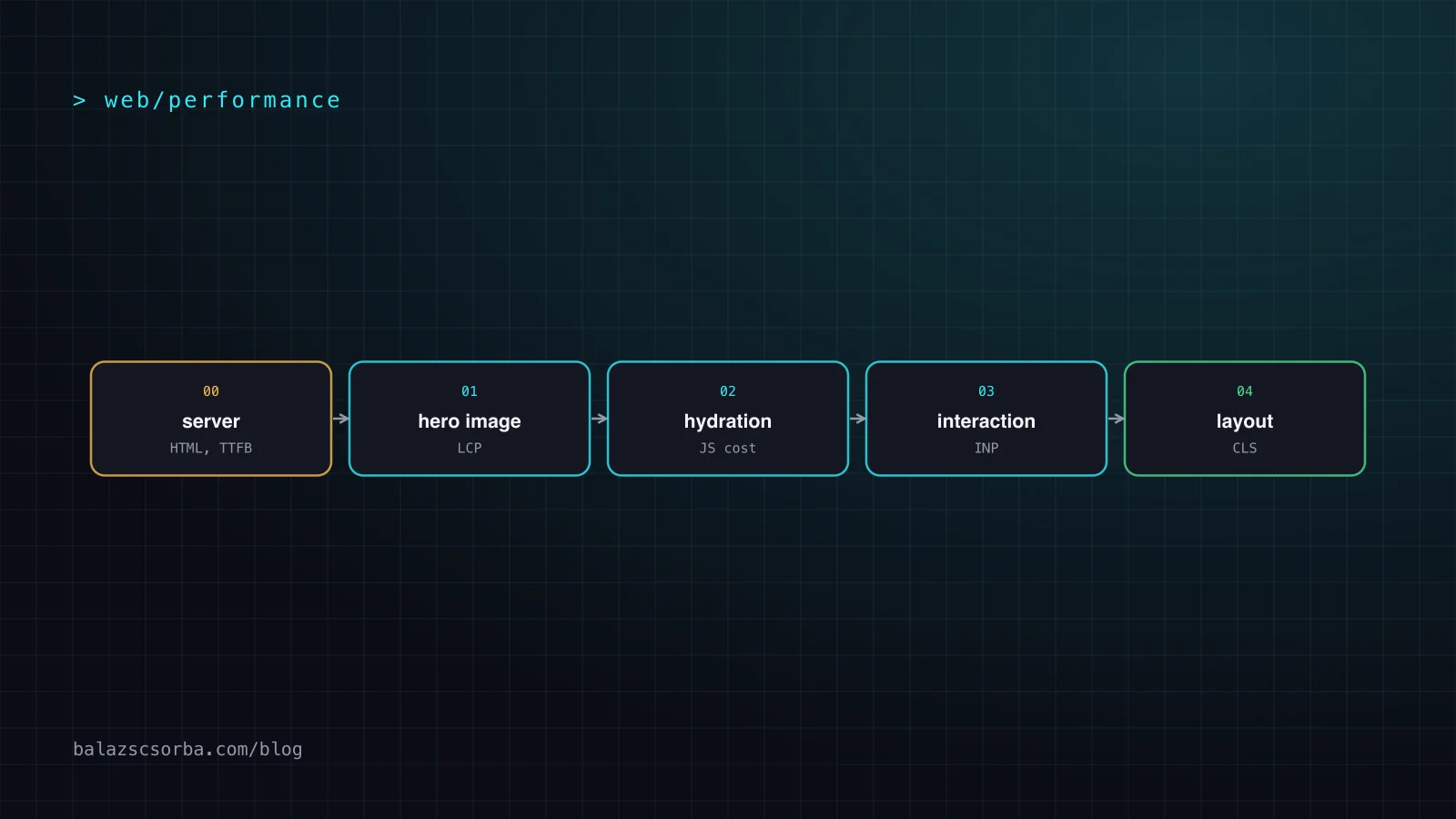
Nuxt renders universally by default: the server sends complete HTML, then the browser downloads the JavaScript and hydrates the page to make it interactive. That two-phase model explains most of the numbers. LCP is decided in the first half (server response, discovering and loading the biggest element), INP in the second (JavaScript execution and hydration compete with the user's first taps), and CLS runs through the whole life of the page.
Web.dev splits LCP into four subparts: time to first byte, resource load delay, resource load duration and element render delay. On a well-optimised page the guideline is roughly 40% TTFB, under 10% load delay, 40% load duration and under 10% render delay. The two delays should approach zero; in my audits they are where the easy wins hide, because nobody owns them.
LCP: make the biggest element discoverable and light
The LCP element is usually an image (an img, a video poster or a CSS background image) or a large text block. First find out which one it is on each template, with DevTools or the attribution build; on shop category pages it is often a banner, on product pages the main product photo. Then work through the subparts.
Discovery. The LCP resource should be discoverable in the HTML source. A hero that is injected by client-side JavaScript, a CSS background image, or a carousel that renders only after hydration all push the request behind your JavaScript bundle. With Nuxt Image, the NuxtImg component has a preload prop that places a link tag in the head and accepts a fetchPriority of high. Never put loading="lazy" on the LCP image: web.dev names it as a direct cause of resource load delay.
- Right format and size. NuxtImg supports format, quality and sizes, so one source file becomes responsive, modern variants (webp or avif). I set explicit sizes for every hero and product image; an image served at 2,000 pixels to a 400-pixel slot is the most common single waste I see.
- Explicit dimensions. Give width and height (or an aspect ratio) so the browser reserves the space. This helps LCP discovery and, as shown below, is also the first CLS fix.
- Server response time. TTFB is the largest share of the LCP budget. Prerender or cache what you can (see the rendering section), and keep slow data calls out of the critical path with the lazy option or useLazyFetch for non-critical data.
- Fonts. If the LCP element is text, a late web font delays it. Preload the critical font and use a fallback with matched metrics (next section on CLS).
- No render-blocking surprises. A consent banner, an A/B-testing snippet that hides the page, or a synchronous third-party script in the head can delay render even when everything else is perfect.
Nuxt 4.5 also added experimental SSR streaming, which flushes the HTML shell instead of buffering the whole page and is aimed squarely at TTFB. It is experimental, it is disabled for bots, and anything that changes the response after rendering started (headers, redirects) cannot reach the client, so I would trial it on one route with RUM before adopting it. The same streaming mindset, for AI features, is in LLM features in Nuxt with the AI SDK.
INP: hydration, long tasks and what you ship
INP observes the latency of every click, tap and key press during a visit, from input delay through event handlers to the next frame painted. Good is 200 ms or less; above 500 ms is poor. It replaced First Input Delay because FID only looked at the first interaction. Scrolling and hovering are not counted.
In a server-rendered Vue app the pattern is consistent: the page looks ready, the user taps, and the main thread is still busy hydrating or running a third-party tag. That is input delay from long tasks (anything over 50 ms blocks the main thread). Add slow event handlers (processing duration) and expensive re-renders or layout work (presentation delay), and you have the three places INP is lost.
What I do about it, in order of payoff:
- Ship less JavaScript. Check the bundle with a visualizer before touching any code. Every heavy library imported on a page needs a justification; a date library or a rich-text editor on a catalogue page rarely has one.
- Hydrate lazily. Nuxt supports delayed hydration on Lazy components: hydrate-on-visible, hydrate-on-idle, hydrate-on-interaction, hydrate-on-media-query, hydrate-after, hydrate-when and hydrate-never. Reviews, recommendation carousels, footers and chat widgets do not need to be interactive at first paint. The caveat: any prop change on a lazily hydrated component triggers hydration immediately, and it works with single-file components and template props, not v-bind spreads.
- Render once, ship less state. Nuxt serialises fetched data into the payload. Use pick or transform on useFetch and useAsyncData so only the fields the template needs are sent; the docs note they do not stop the data being fetched, but they keep it out of the payload. Payload extraction is on by default, and the stripNeverHydratedData experiment keeps data of hydrate-never components out too.
- Keep static things static. Components that never change after render (marketing blocks, footers) are candidates for hydrate-never or a server-only approach, so Vue does not create reactive state for them.
- Break up long tasks. Where you must do heavy work (filtering a large product list, parsing), yield to the main thread. web.dev recommends scheduler.yield() with a setTimeout fallback and yielding about every 50 ms of work rather than after every item.
- Tame the handlers. Debounce expensive input handlers, avoid synchronous layout reads in loops, and show immediate feedback (a pressed state, a spinner) before slow work, because INP ends at the next painted frame.
CLS: reserve space for everything that arrives late
Layout shift is the most mechanical metric: something appeared or changed size and pushed content that was already visible. In Nuxt shops I find the same culprits again and again:
- Images and media without dimensions. Always set width and height; browsers derive the aspect ratio from them. For responsive images the CSS aspect-ratio property does the same job.
- Web fonts. Both flash of unstyled text and flash of invisible text can shift layout. The Nuxt Fonts module applies automatic font metric optimisation (via fontaine and capsize) so the fallback font occupies the same space as the web font, supports local download of providers such as Google, and removes a whole class of font-related shifts almost for free. Preloading critical fonts and font-display: optional are the other web.dev recommendations.
- Late banners. Cookie and consent bars, promotion strips and "free shipping from" notices that are injected after hydration push the whole page down. Render them on the server in reserved space or overlay them with a fixed position instead of inserting them in the flow.
- Embeds and ads. Reserve a box with min-height or aspect-ratio before an iframe, map or video loads. The same goes for lazily hydrated components that change height when they become interactive.
- Client-only content. A .client.vue component or ClientOnly block renders only after mount; without a placeholder of the right size it will shift the page. Use the fallback slot to render a skeleton with the final dimensions.
- Animations. Animate with transform instead of top, left or height; composited animations do not contribute to CLS.
One more cheap win: make pages eligible for the back/forward cache. Restored pages are instant and incur no new layout shifts, which matters in shops where users bounce between listing and detail pages.
Third-party scripts: the tax you do not control
Analytics, tag managers, chat widgets, review badges and A/B testing tools run on the same main thread as your Vue app. They are the usual reason why a lean Nuxt bundle still produces a poor INP and why LCP regresses after marketing "just adds one tag". Treat each script as a budgeted dependency with an owner.
Nuxt Scripts is the official way to control this. Its useScript composable loads third-party scripts with SSR support, delayed loading and typed APIs. The default trigger, onNuxtReady, waits for hydration and then schedules the load in an idle period. Other options are manual loading, useScriptTriggerIdleTimeout, useScriptTriggerInteraction (first scroll, click or key), useScriptTriggerElement (when an element becomes visible) and consent-based triggers. There are registry integrations for common services such as Google Analytics, Google Maps, YouTube and Stripe, and facade components that show a lightweight placeholder until the real embed is needed.
My rules: nothing third-party in the critical rendering path; chat and video behind interaction or visibility triggers; analytics after hydration and consent; every script reviewed against its INP cost in RUM before and after release. Reserve the layout space for anything visual (see CLS). For a B2B shop with logged-in buyers, I would also question whether a heatmap tool needs to run in the checkout at all.
Prerender, SSR or ISR: choose per route
The rendering mode sets your TTFB floor and therefore your LCP ceiling. Nuxt's hybrid rendering lets you decide per route with route rules instead of one global setting:
| Mode (route rule) | What it does | Use it for | Watch out |
|---|---|---|---|
| prerender: true | Generates static HTML at build time | Landing pages, docs, blog posts, legal pages | Content is only as fresh as the last build |
| swr | Serves a cached response and regenerates it in the background | Category and listing pages that change a few times a day | The first visitor after expiry may get stale content; needs a server or platform cache |
| isr | CDN-cached pages with revalidation; supported on Netlify and Vercel via native integration | Large catalogues where a full rebuild is too slow | Platform-specific; check your hosting before designing around it |
| Universal SSR (default) | Renders HTML per request, then hydrates | Personalised or per-request pages: cart, account, price lists | TTFB depends on your backend and data calls |
| ssr: false | Client-only rendering for that route | Authenticated dashboards behind a login | Slower first load and weaker SEO visibility; keep it away from landing pages |
For a B2B shop, the split is usually clear: marketing, content and category pages are prerendered or cached, product pages use swr or isr with price and stock fetched client-side after hydration (or edge-side per customer), and cart, checkout and account stay on SSR. The trap is personalisation: one customer-specific price in the server-rendered HTML turns every cached page into a per-request page. Keep the shell cacheable and load the personal part separately, with a reserved box so it does not cause layout shift. The same shop pages are what agentic commerce protocols and agents will fetch, so a fast, cacheable shell pays off twice.
Fix-by-metric table
The condensed version, for pinning next to your RUM dashboard:
| Metric | Typical cause in Vue/Nuxt | First fix | Nuxt tool |
|---|---|---|---|
| LCP | Hero image found late, lazy-loaded or oversized | Put it in server HTML, preload it, right size and format, never lazy-load it | NuxtImg: preload with fetchPriority high, sizes, format, quality |
| LCP | High TTFB from SSR and slow data calls | Prerender or cache; move non-critical data off the critical path | routeRules (prerender, swr, isr), useLazyFetch, experimental SSR streaming |
| LCP | Text LCP waits for a web font | Preload critical font, metric-matched fallback | Nuxt Fonts module |
| INP | Main thread busy hydrating the whole page | Hydrate below-the-fold and non-interactive parts lazily or never | Lazy components with hydrate-on-visible, hydrate-on-idle, hydrate-on-interaction, hydrate-never |
| INP | Large bundles and payload | Remove or split heavy libraries; send only fields the template uses | Lazy prefix code-splitting, pick and transform, payload extraction |
| INP | Third-party tags and long tasks | Defer tags, yield in heavy loops, debounce handlers | Nuxt Scripts triggers, scheduler.yield() with fallback |
| CLS | Images and embeds without reserved space | width and height or aspect-ratio on everything that loads later | NuxtImg with dimensions, CSS aspect-ratio |
| CLS | Font swap, late banners, client-only blocks | Metric-matched fallbacks; reserve banner space; skeleton fallbacks | Nuxt Fonts, ClientOnly fallback slot |
Shops are different: what I check on B2B stores
In a TYPO3 B2B shop refactoring I reduced page loads by 65%, from 4.6 s to 1.6 s (details in references). The principles in this article are the ones I apply there too: measure first, get the critical path short, and treat every extra request and script as something that must earn its place.
Shops add three specific traps. Product listings render hundreds of images and filters, so lazy-load everything except the first row and measure INP on filter interactions, not just on load. Prices, stock and customer-specific catalogues tempt you to disable caching for the whole page. And the shop's tag stack (analytics, remarketing, reviews, live chat) tends to grow every quarter. If you are building or migrating a Nuxt storefront, my Vue and Nuxt expertise page lists what I take on.
A rollout checklist
- Set up RUM with the web-vitals attribution build, tagged by route template, and keep the CrUX numbers for your origin next to it.
- Pick the three worst templates by traffic and failing metric; ignore the rest until those pass.
- Identify the LCP element on each template and make it discoverable in the HTML, preloaded, right-sized and never lazy-loaded.
- Assign a rendering mode per route with route rules; keep personalised data out of cached HTML.
- Add the Nuxt Fonts module and verify fallback metrics; add width, height or aspect-ratio to every image and embed.
- Check the bundle and payload; apply pick or transform; split heavy components with the Lazy prefix.
- Add hydration strategies to below-the-fold and non-interactive components; re-test the first taps under CPU throttling.
- Move every third-party script to Nuxt Scripts with a trigger, an owner and a measured INP cost.
- Add a performance budget to CI (bundle size, Lighthouse for LCP and CLS) and watch RUM over a few weeks of real traffic before declaring victory.
Sources
- web.dev: Web Vitals
- web.dev: Largest Contentful Paint (LCP)
- web.dev: Optimize Largest Contentful Paint
- web.dev: Interaction to Next Paint (INP)
- web.dev: Optimize Cumulative Layout Shift
- web.dev: Optimize long tasks
- Chrome for Developers: Chrome UX Report (CrUX)
- Chrome for Developers: CrUX methodology
- GitHub: GoogleChrome/web-vitals
- Nuxt docs: Rendering modes
- Nuxt docs: Components (Lazy prefix, delayed hydration, client components)
- Nuxt docs: Experimental features (lazyHydration, payloadExtraction)
- Nuxt docs: Data fetching (pick, transform, lazy)
- Nuxt blog: Nuxt 4.5
- GitHub: Nuxt releases
- Nuxt Image: NuxtImg
- Nuxt Fonts module
- Nuxt Scripts: Getting started
- Nuxt Scripts: Script triggers
Frequently asked questions
What are good Core Web Vitals scores?
Google recommends LCP within 2.5 seconds, INP of 200 milliseconds or less and CLS of 0.1 or less. A page passes when it meets all three at the 75th percentile of real page loads, evaluated per device type, so slow phones and slow networks count as much as your laptop.
How do I improve LCP in a Nuxt app?
Find the LCP element, make sure it is in the server-rendered HTML, preload it with a high fetch priority and never lazy-load it. With Nuxt Image, use the preload prop with fetchPriority high, serve a modern format at the right size, and keep server response time low with prerendering or caching.
Why is INP bad even though Lighthouse is green?
Lighthouse loads a page in a simulated environment without a user, so it cannot measure INP at all; Total Blocking Time is only a proxy. INP measures every click, tap and key press in real sessions, including slow devices, heavy third-party scripts and work triggered after hydration.
Does lazy hydration help Core Web Vitals in Nuxt?
Yes, mainly INP and sometimes LCP. Nuxt supports hydration strategies such as hydrate-on-visible, hydrate-on-idle and hydrate-on-interaction on Lazy components, so below-the-fold widgets do not compete with the first interactions. Note that any prop change on such a component triggers hydration immediately.
Is SSR, prerendering or ISR best for Nuxt performance?
There is no single winner. Prerendering gives the fastest and most stable TTFB for content that changes rarely, swr or isr add cached regeneration for catalogue-style pages, and full SSR fits personalised or per-request pages. Nuxt route rules let you mix all of them in one app.
How do I measure Core Web Vitals for my real users?
Combine two sources. CrUX, through PageSpeed Insights or its API, shows what Chrome users experienced and is what Google sees. For your own segments and for debugging, add the web-vitals library, use its attribution build and send the metrics to your own endpoint with sendBeacon.